Trezor Suite update May 2026
To download and install the latest update, simply open Trezor Suite and proceed using the on-screen instructions. If you’re not yet using Trezor Suite, download it for free from: https://trezor.io/trezor-suite
Please note that updates roll out in stages and you may not be prompted to update for several days after this announcement. Be the first to try new features by joining the Trezor Suite Early Access Program. Switch it on in Application Settings!
The May 2026 update of Trezor Suite on desktop to 26.5.2 brings the following improvements:
New features
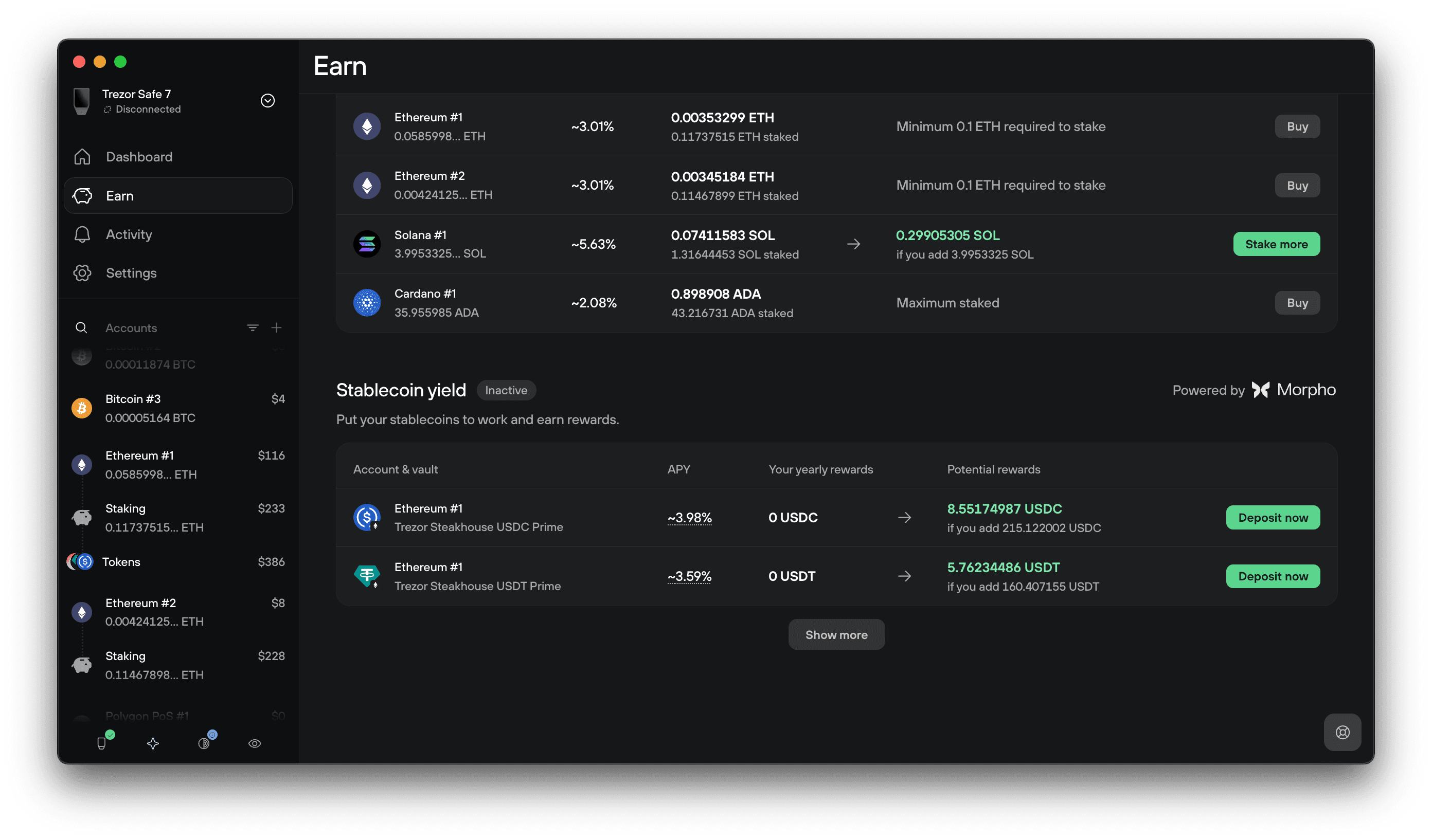
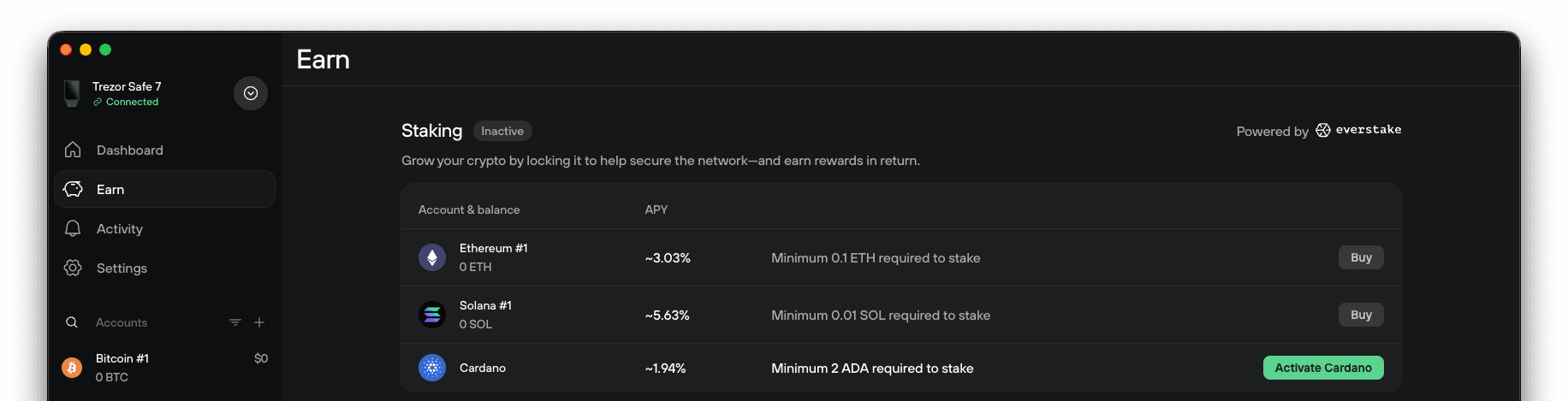
- Added a new stablecoin yield feature under the Earn tab giving users the ability to earn on their stablecoin balances.
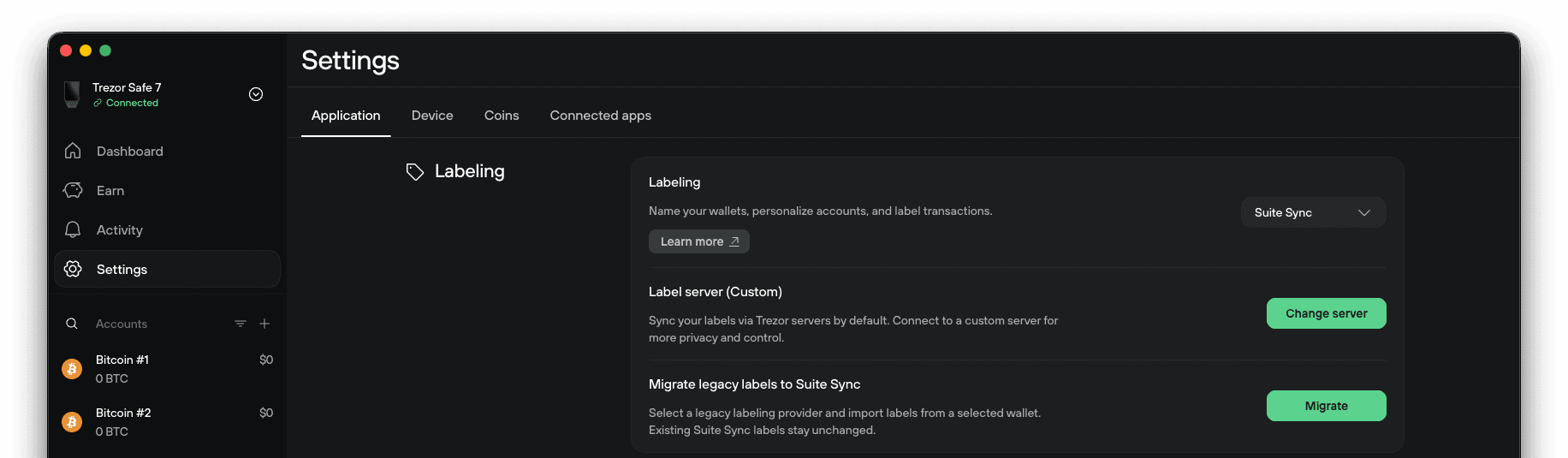
- Legacy labeling can now be migrated to Suite Sync, making it easier to preserve and manage your existing labels across devices.
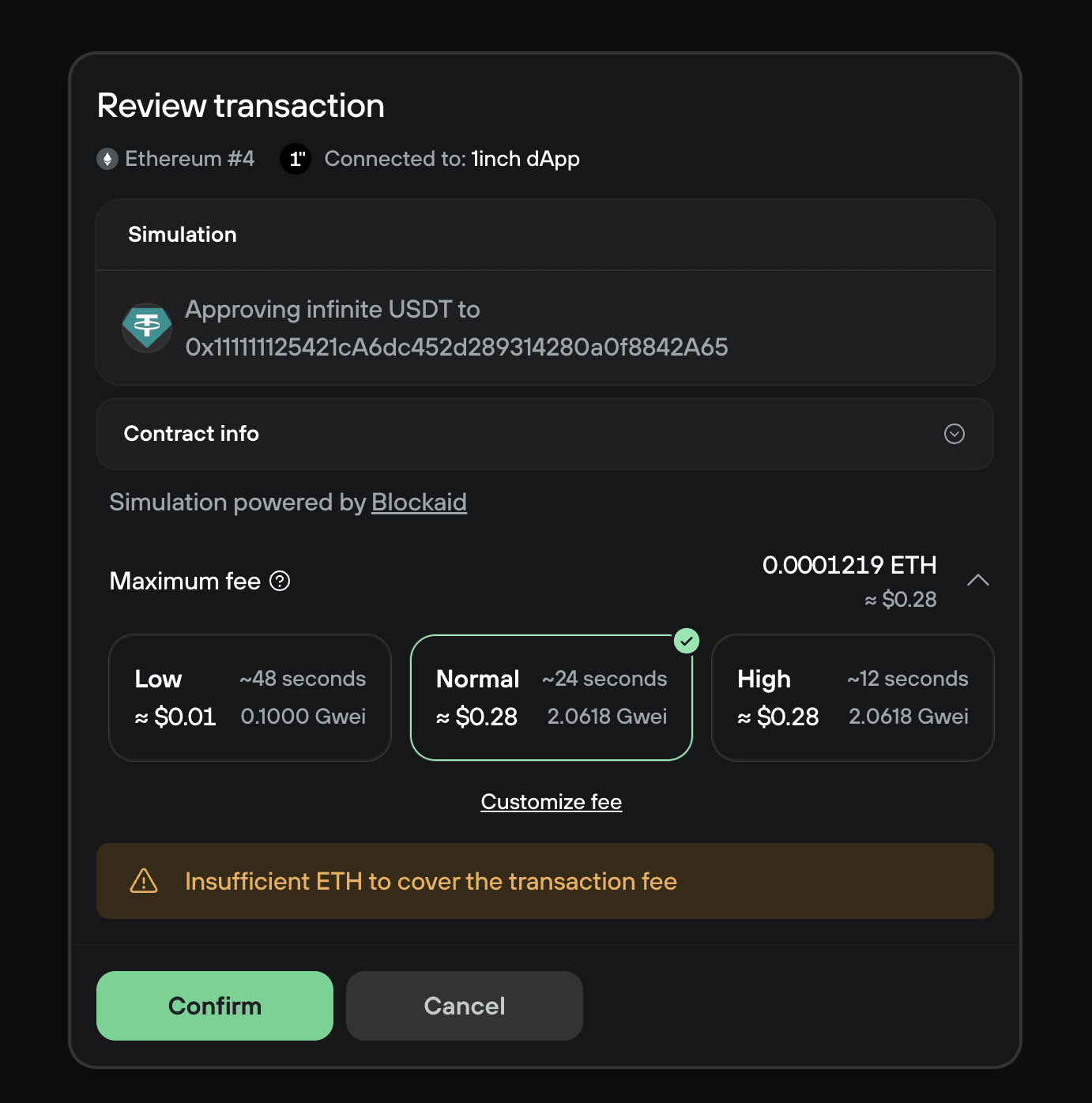
- WalletConnect now warns users when an account balance is insufficient before confirming a transaction, helping prevent failed interactions.
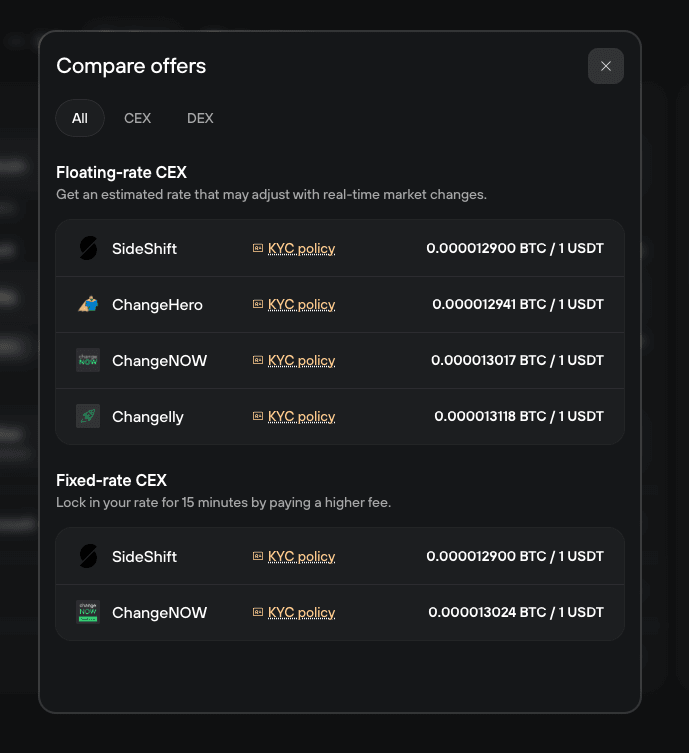
- Trading offers can now be compared side by side in a dedicated modal, making it easier to evaluate available options.
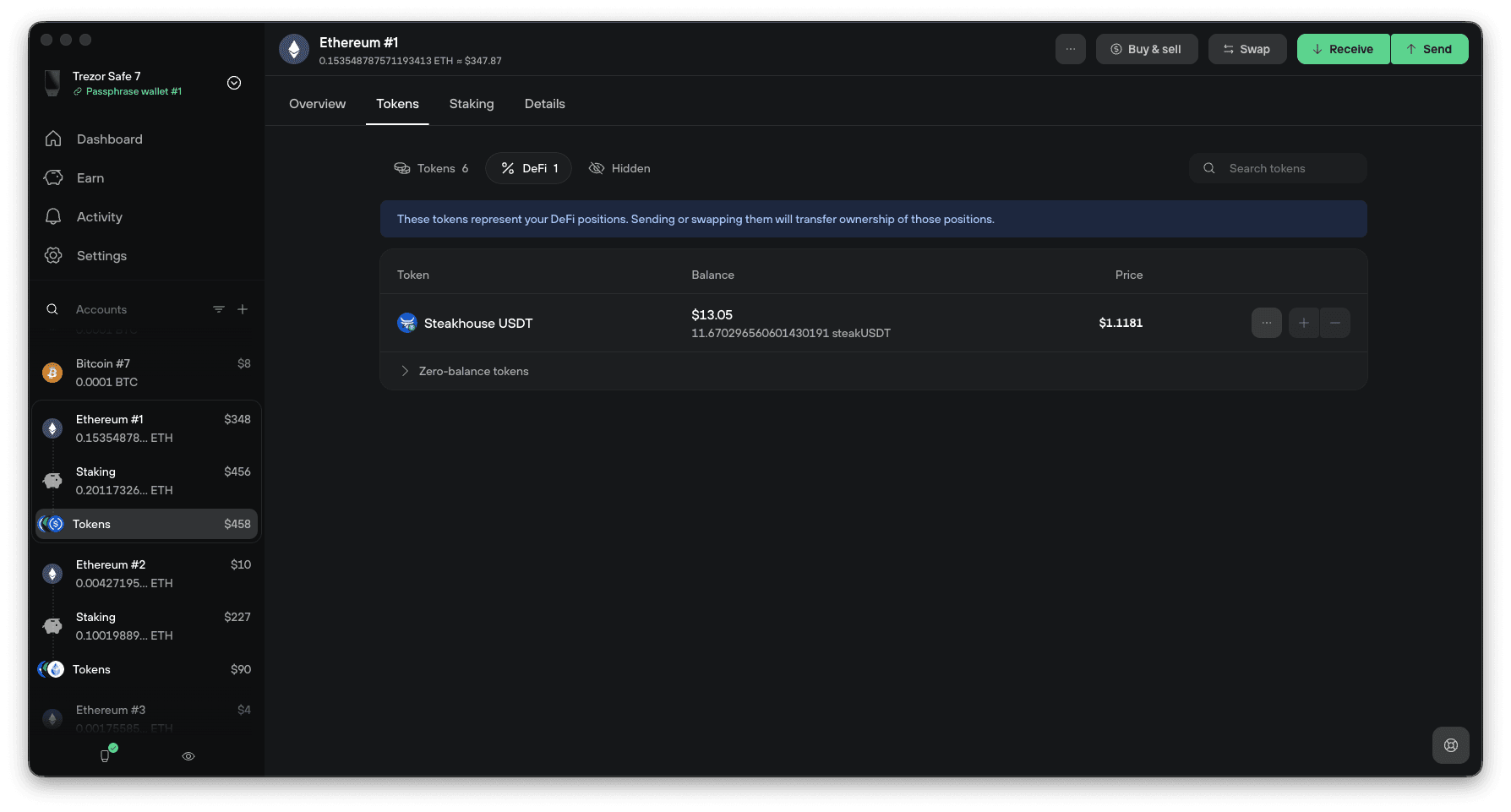
- A new DeFi Tokens section has been added for EVM accounts, improving visibility and organization of supported assets.
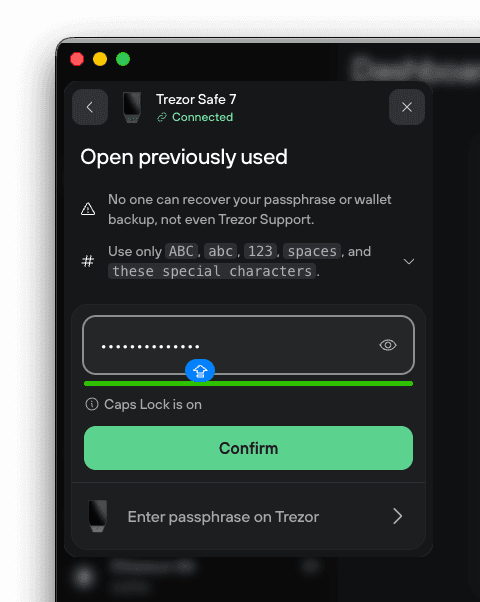
- Passphrase entry now includes a Caps Lock warning to help reduce typing mistakes during authentication.
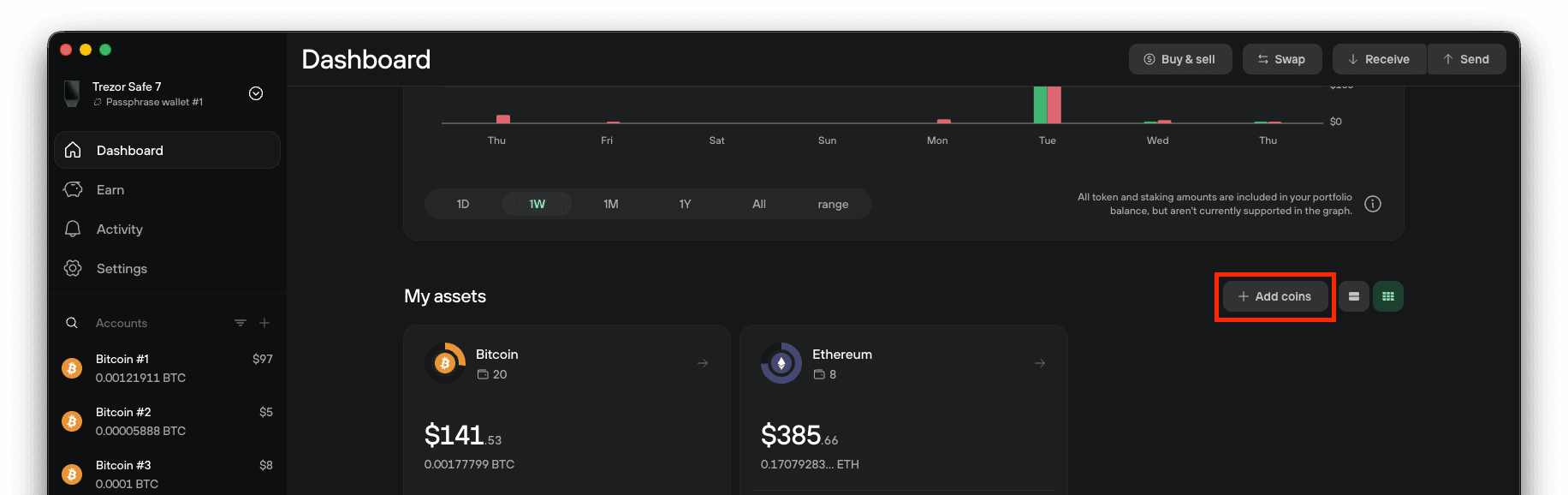
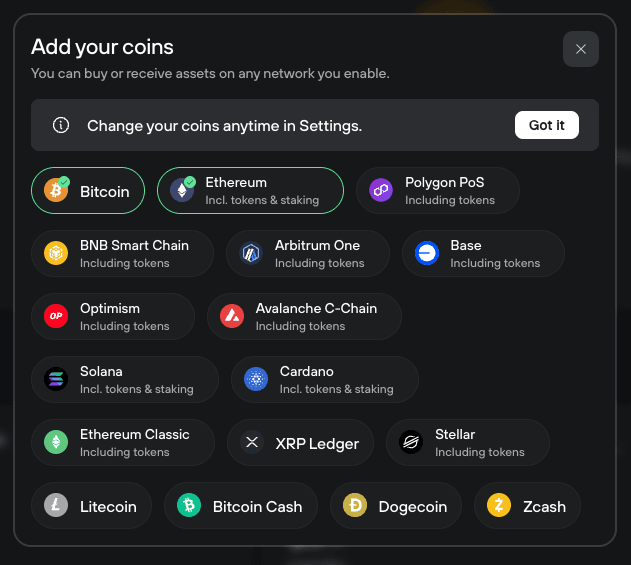
- Coin settings can now be opened directly from the dashboard using a streamlined modal interface.
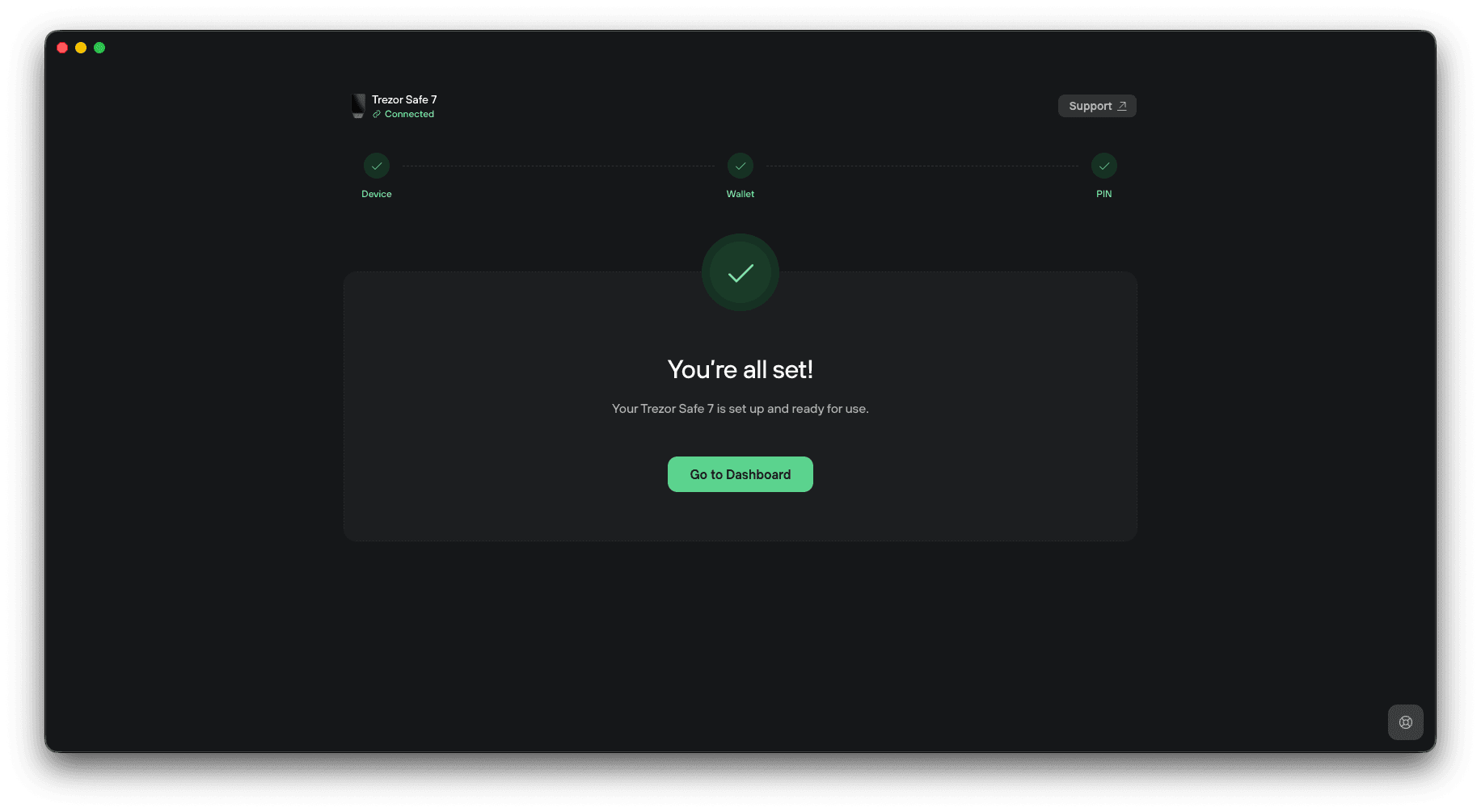
- A new congratulations screen has been added after device onboarding, providing a more polished setup experience.
- Device authenticity verification now includes MCU MLDSA support for enhanced security checks.
- ERC-681 links and QR codes are now supported in the send form, enabling smoother Ethereum payment requests.
- Custom backends can now be configured for coins without activating them first, offering greater flexibility for advanced setups.
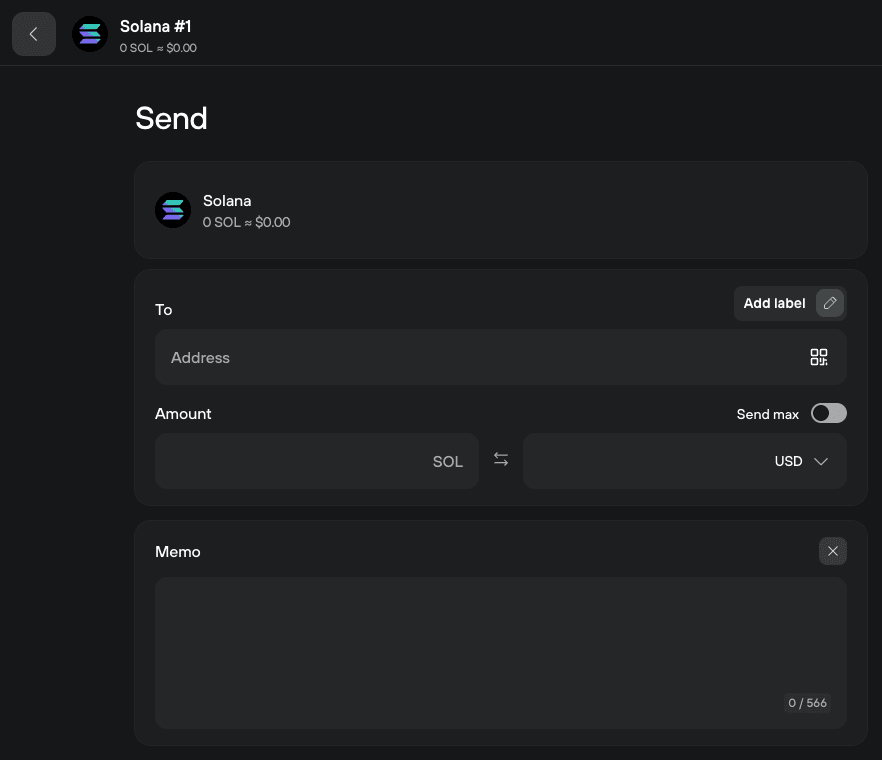
- Solana transactions now support Memo fields directly in the send form.
Improvements
- The dashboard onboarding flow for activating coins and networks has been redesigned for a more intuitive setup experience.
- A new Earn section has been introduced, providing easier access to supported earning opportunities.
- Trezor Connect performance has been improved by reusing existing Suite account discovery data for faster loading.
- Address formatting has been refined across the app for better readability and consistency.
- Suite Sync keys are now automatically cleared when Suite Sync is disabled, improving privacy and security.
- Privacy-related settings have been reorganized and moved higher in the Application settings section for easier access.
- Desktop and mobile onboarding flows have been unified for a more consistent cross-platform experience.
- Asset history charts have received a refreshed layout for improved clarity and usability.
- macOS window tiling support has been added through the Window menu fullscreen toggle.
- Dark mode is now supported on the unsupported browser information page.
- Bitcoin-only firmware wallets now display a cleaner interface by hiding unsupported indicators and inactive asset sections.
- Networks are no longer automatically activated after onboarding, giving users more control over their setup.
- Buttons and interface components have been updated to align with the latest design system improvements.
- Empty account states have been refined with more consistent actions and simplified navigation.
Bug fixes
- Solved repeated passphrase prompts when activating additional coins with Cardano enabled.
- Fixed Issues with unsupported assets appearing in the swap form.
- Additional minor issues have been resolved, along with general usability improvements for a more stable and seamless experience.
Was this article helpful?