Trezor Safe 5 - バイオレットオア
4.47件のレビュー
Trezor Safe 5 - バイオレットオア

Trezor Safe 5

鮮やかなカラータッチスクリーン&承認時の触覚フィードバックで、抜群の使いやすさ。進化した暗号資産セキュリティを体験しよう。

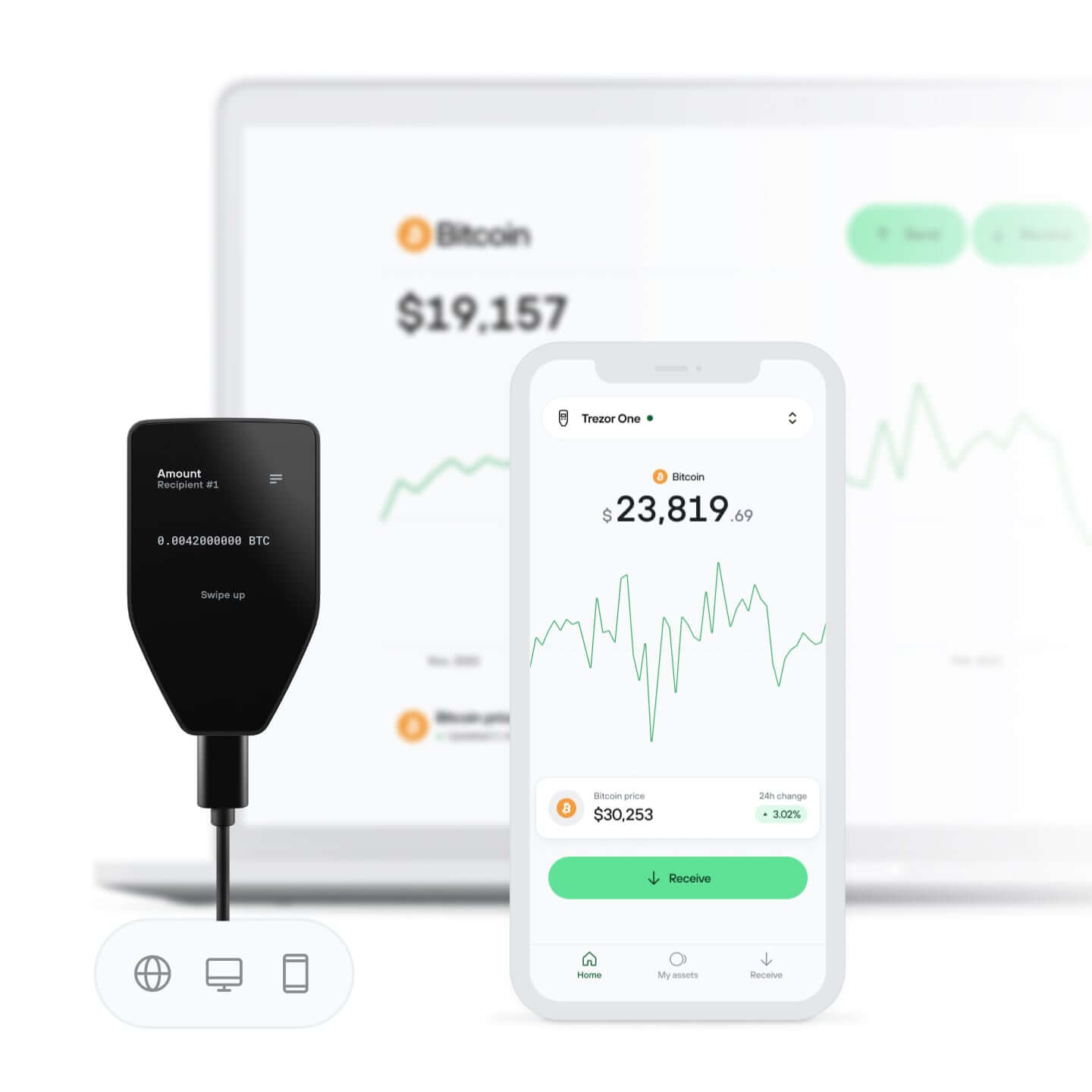
1.54インチのタッチスクリーンで使いやすさを向上
パスフレーズPIN入力による保護
Trezor Suiteアプリで暗号通貨を管理
  • Black Graphite
  • Green Beryl
  • Violet Ore
Violet Ore

Hal AIに質問する

圧倒的なセキュリティ、
直感的な使いやすさ

鮮やかなカラータッチスクリーンとTrezor Touchの触覚フィードバック

見て、触れて、確かめる

あなたの暗号資産、あなたの管理

デバイス上での承認により、すべてのトランザクションを完全に制御
セキュア・エレメントにより保護されています

セキュア・エレメントにより保護されています

オンラインとオフライン、両方の脅威に対する最強の防御
セキュリティはオープンソースから始まる

セキュリティはオープンソースから始まる

透明なウォレットデザインが、あなたのTrezorをより優れた、より安全なものにします

ゴリラガラスで傷がつきにくい

実証済みで耐久性の高い画面保護が、暗号資産をクリアに守ります

シンプルでわかりやすいウォレット・バックアップ

新しいバックアップ規格でデジタル資産へのアクセスを取り戻しましょう
初日からの安心を

初日からの安心を

パッケージとデバイスのセキュリティ・シールでTrezorの完全性を守ります

Trezor Suiteアプリで
暗号資産を管理

  • コインの送信、受信、取引、ステーキング
  • ポートフォリオの残高を確認
  • ポートフォリオの履歴を表示
アプリをチェック
Trezor Suiteアプリ
Trezor Suiteアプリがサポートする人気暗号通貨コインの一覧(上部ビュー)

1000以上の
コイン&トークンをサポート

コインを確認
Trezor Suiteアプリがサポートする人気暗号通貨コインの一覧(下部ビュー)

仕様

Trezor Safe 5

Trezor Safe 5は、セキュリティと使いやすさを重視する暗号資産ユーザーのために設計された高性能なハードウェア・ウォレットです。鮮やかなカラータッチスクリーンと、Trezor Touchハプティックエンジンによる触覚フィードバックを搭載。直感的で快適な操作を実現します。

10年以上にわたるオープンソースのセキュリティおよびプライバシー開発の実績を基盤に、Trezor Safe 5は暗号資産を守るための確かな土台を提供。NDA不要のEAL 6+認証セキュア・エレメントに加え、PINとパスフレーズによる保護を採用。オンライン・オフラインを問わず、さまざまな脅威から資産を守ります。

さらに、強化された20単語のウォレット・バックアップ規格に対応。Standard Single-share BackupからAdvanced Multi-share Backupへスムーズに移行でき、追加のセキュリティ対策によって復元時の保護性能をさらに高められます。

Trezor Safe 5は、使いやすいデスクトップアプリやモバイルアプリを含むTrezorエコシステム全体とシームレスに連携することにより、暗号資産の購入・売却・交換がよりシンプルに。さらに、幅広いサードパーティサービスにもアクセスできるため、自分に合った暗号資産体験を構築できます。

ハードウェア・ウォレットを初めて使う方にも、経験豊富な暗号資産ユーザーにも。Trezor Safe 5は、暗号資産の保管・管理・そして利用を支える、実績あるセキュリティと使いやすさを提供します。

ひと目でわかる

フルカラーのタッチスクリーン
1.54インチ カラー・ディスプレイ240 x 240 ピクセル
触覚フィードバック
Gorilla® Glass 3傷に強いオールガラス仕上げ
USB-C接続
送信、受信、ステーキング、取引
microSDカードスロット

Trezorを接続

iOSでは、スワップ・送金・セットアップ・デバイス管理はご利用いただけません。

デバイス・セキュリティ

セキュア・エレメントによる保護EAL6+ 認定チップ
オープンソースのセキュリティと設計
PINパスフレーズによる保護
デバイス上での入力

バックアップ&リカバリー

12・20・24単語のウォレット・バックアップ
高度なマルチシェア・バックアップ

プライバシー

コインの手動管理でプライバシーを強化
Torで個人情報を保護

認証

Trezorを2FAデバイスとして使用するFIDO2標準

製品の詳細

製品のサイズと重量65.9x40x8 mm / 23 g
2.6x1.6x0.3 インチ / 0.8 オンス
パッケージのサイズと重量145×92×21 mm / 75 g
5.7×3.6×0.8 インチ / 2.6 オンス
動作温度-20°C~+60°C/-4°F~+140°F
CPU160MHz組み込み型ARMプロセッサ (Cortex M33)

同梱物

Trezor Safe 5 ハードウェア・ウォレット
USB-C → USB-C ケーブル
2x 20単語のウォレット・バックアップカード
新しいTrezorデバイスをTrezor Suiteアプリで使い始めましょう。最も安全な暗号資産エコシステムで、購入・取引・送金が可能です。
Trezorステッカー

安全性と認証

すべてのTrezorデバイスは、品質・信頼性・環境に関するすべての基準を満たすCEおよびRoHS認証を取得しています。TrezorはX線検査にも対応しており、航空機での持ち運びにも適しています。

素材

耐久性のあるPC-ABS樹脂、改ざん防止仕様のケース、アルマイト加工のアルミ製背面プレート、精緻なレーザー刻印

お客様の声

4.4

/ 5

7件のレビューに基づく
すべてのレビューは、商品を実際に購入した認証済みユーザーによるものです。
5
4x
4
2x
3
1x
2
0x
1
0x
匿名ユーザー
2026年7月11日
While I am deeply impressed with the Trezor Safe 5 hardware, it is incredibly easy to connect to Android, and the physical touchscreen makes verifying addresses a breeze, the mobile software ecosystem introduces clear friction for active Web3 users. ​Specifically, three distinct limitations stand out when using the device on mobile: ​1. Inconsistent Mobile Web3 Wallet Support ​Connecting the Trezor Safe 5 to third-party Web3 apps on Android is hit-or-miss. For example, I am able to seamlessly use the cold wallet with the Rabby Android app. However, if you try to use it with Phantom or other major Web3 mobile wallets, it simply isn't possible. This fragments the user experience, as you are forced back to a desktop browser extension if your preferred dApp wallet doesn't natively support Trezor's USB-OTG communication on Android. ​2. Desktop vs. Mobile Feature Disparity (Solana Staking) ​The official Trezor Suite Android app still functions more like a companion tracker than a complete desktop replacement. For instance, if you want to stake Solana (SOL), you cannot complete the process within the Android app. You are forced to exit the mobile interface entirely and log into either the web platform or the desktop application on a computer to initiate or manage your stakes. For a modern hardware wallet, full native feature parity on Android should be the standard. ​3. Restricted Validator Selection ​When you do use Trezor Suite to stake Solana, you are completely locked out of choosing your own validator. Trezor forces you to use their single official partner, Everstake. While this automated "one-click" setup is friendly for beginners, it prevents more advanced users from browsing validator lists, comparing dynamic commission fees, or actively supporting network decentralization by choosing smaller, independent validators.
匿名ユーザー
2026年7月9日
Its an excellent hardware wallet. The touchscreen is great and the security is top-notch. It's a bit pricey, but worth it.
匿名ユーザー
2026年6月30日
Super! Mehr Blockchains wäre noch besser.
匿名ユーザー
2026年6月26日
Good device. One think left desired. I hate spam calls, I hate spam emails and texts. I can’t stand dusting transactions and others showing up on my transaction history even though Trezor Suite “blurs” it. I want an option or toggle so I can completely hide them from my view and stop cluttering up everything. Please work on that. If you can identify and blur them, it should very very easy to give us an option to totally hide it.
Trezorサポート

Hello,

Thanks for the great review and for sharing this suggestion. We completely understand how dusting transactions can clutter your history. We’ll pass your feedback about adding a toggle to fully hide them to our team. It’s a thoughtful idea and we appreciate you taking the time to suggest it.

Thanks for helping us improve!

匿名ユーザー
2026年6月23日
The device is very glitchy: touchpad shudders and pauses, then enters 10 digits; lags all over. Seems the hardware is not robust or shielded.
Trezorサポート

Hello! Thanks for taking the time to share your experience with us.

We’re sorry to hear you’ve been running into issues with the touchpad responsiveness and input delays. That definitely isn’t the experience we want our users to have. We understand how frustrating it can be when entering your PIN or navigating the device becomes unreliable.

There are a few factors that can sometimes affect touch interactions, but we’d love to take a closer look at what’s happening in your case. Please feel free to reach out to our Support team so we can help troubleshoot the issue and check whether there might be a hardware-related problem.

よくある質問

Trezor Safe 5とTrezor Safe 3の違いは何ですか?
Trezor Safe 5 は、カラフルなタッチスクリーンと触覚フィードバックにより優れた操作性と快適性を提供し、加えてセキュア・エレメントチップを搭載してセキュリティを確保しています。 Trezor Safe 3 は、2つのボタンによるインターフェースでコインやトークンを管理でき、同様にセキュリティを高めるためのセキュア・エレメントチップを搭載しています。