Trezor Safe 5
4.6阅读我们的用户评价
鲜明的彩色触摸屏和确认触觉反馈,带来便捷操作与进阶加密资产安全防护。
1.54 英寸触摸屏带来更优体验
密码短语和 PIN 码输入防护
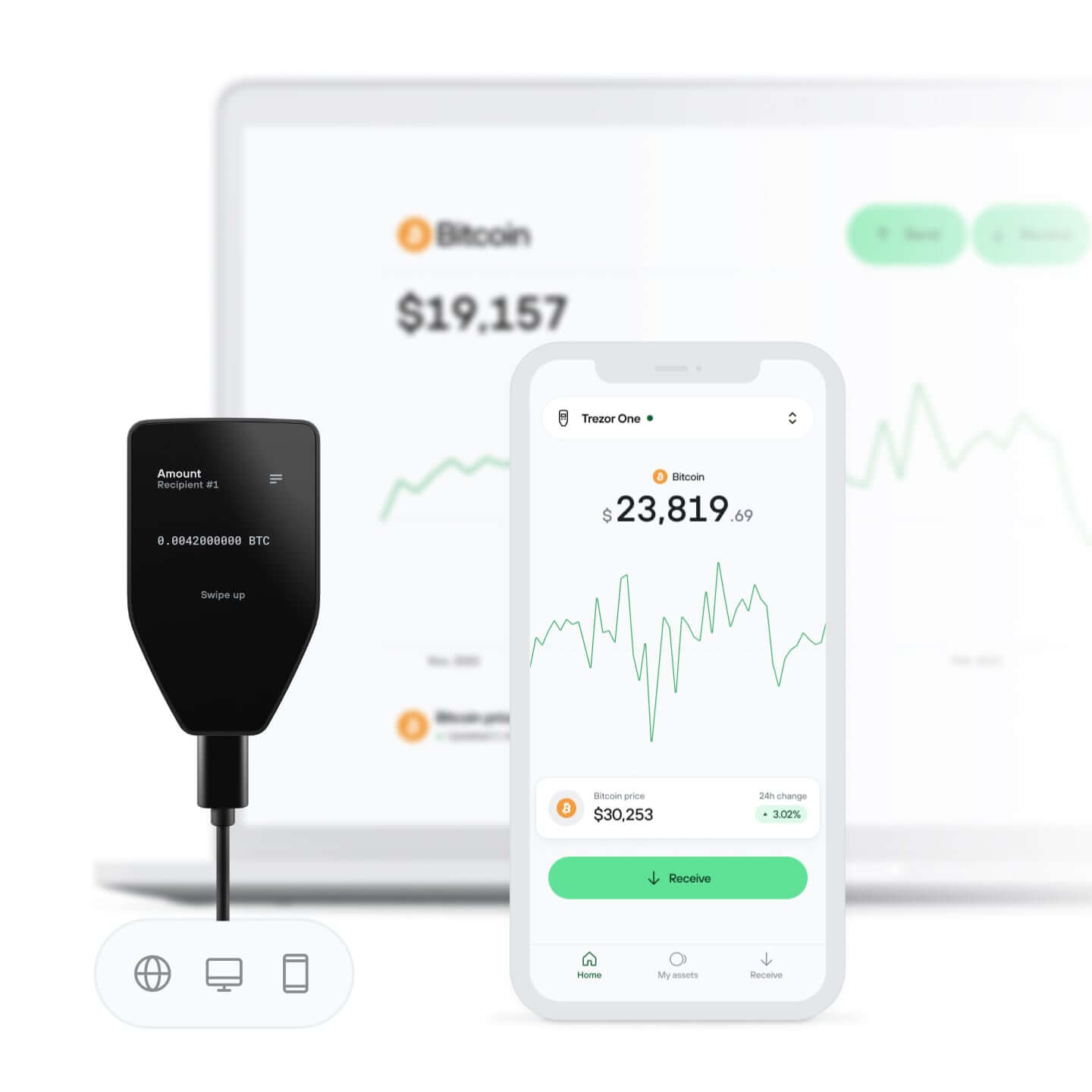
在 Trezor Suite 应用中管理加密资产
Violet Ore

高度安全,
直观易用

绚丽彩色触控屏与 Trezor Touch 触觉反馈
查看。轻触。感受。确认。
您的加密资产,您做主
通过设备确认,全面掌控每笔交易
安全芯片保护
对抗在线与离线威胁的可靠防线
安全始于开源
透明钱包设计让您的 Trezor 更优更安全
康宁大猩猩玻璃防刮擦
经过验证的坚固屏幕保护,让您的加密资产信息清晰可见
清楚易懂的钱包备份
借助新一代备份标准恢复数字资产访问权限
从第一天起安心使用
包装与设备防拆封条共同保障 Trezor 设备完整性

规格
Trezor Safe 5
Trezor Safe 5 是一款进阶硬件钱包,适合同时重视安全性与易用性的加密资产用户。鲜明的彩色触摸屏搭配 Trezor Touch 触觉反馈引擎,让操作直观易懂。
基于十年的开源安全与隐私研发,Trezor Safe 5 为加密资产提供可靠保护。它采用不受保密协议限制的 EAL 6+ 安全芯片,并支持 PIN 码和密码短语保护,可抵御在线与离线威胁。增强的 20 词钱包备份标准还支持从标准单份备份顺畅升级为高级多份额备份,进一步加强钱包恢复保护。
Trezor Safe 5 可与完整的 Trezor 生态系统配合使用,包括易用的桌面端和移动端应用,让购买、出售和兑换加密货币等操作更加简单。您还可以接入多种第三方服务,根据自身需求定制加密资产使用体验。
无论您是硬件钱包新手,还是经验丰富的加密资产用户,Trezor Safe 5 都能帮助您安全、方便地保存、管理和使用加密资产。
一览
彩色触摸屏
1.54 英寸彩色显示屏240 x 240 像素
触觉反馈
Gorilla® Glass 3防刮全玻璃表面
USB-C 接口
发送、接收、质押与交易
MicroSD 卡槽
兼容 Trezor Suite 应用 和 第三方钱包应用
连接 Trezor
iOS 上不支持兑换、发送、设置或设备管理
设备安全
安全芯片保护EAL6+ 认证芯片
开源安全与设计
PIN 码与密码短语保护
设备端输入
备份与恢复
12、20 或 24 词钱包备份
高级多份额备份
隐私
通过 Coin Control 提升隐私
借助 Tor 保护身份隐私
身份验证
将您的 Trezor 用作 2FA 设备FIDO2 标准
产品详情
产品尺寸和重量65.9x40x8 毫米 / 23 克
2.6x1.6x0.3 英寸 / 0.8 盎司
2.6x1.6x0.3 英寸 / 0.8 盎司
包装尺寸与重量145x92x21 毫米 / 75 克
5.7x3.6x0.8 英寸 / 2.6 盎司
5.7x3.6x0.8 英寸 / 2.6 盎司
工作温度-20°C 至 +60°C / -4°F 至 +140°F
CPU160MHz 嵌入式 ARM 处理器(Cortex M33)
盒子里有什么?
Trezor Safe 5 硬件钱包
USB-C → USB-C 数据线
2 张 20 词钱包备份卡
入门指南
Trezor 贴纸
安全与认证
所有 Trezor 设备均通过 CE 和 RoHS 认证,符合所有质量、可靠性及环保标准。Trezor 可经受 X 光检查,可随身带上飞机。
材质
耐用 PC-ABS 塑料、防篡改外壳、阳极氧化铝背板和精细激光雕刻
客户评价
4.6
/ 5
根据 20 条评价
所有评论均来自已购买此产品的认证买家。
5
15x
4
2x
3
3x
2
0x
1
0x
匿名用户
2026年9月25日
Clean and simple. Widely compatible with lots of other software. Love it.
Josif
2026年9月24日
Very happy with my Trezor. The device feels high quality, the setup is simple, and it gives me much more confidence when it comes to securing my crypto. A great choice for anyone who wants self-custody and full control over their assets.
匿名用户
2026年9月3日
I upgraded from a Trezor 1 for improved security and the larger now touchscreen of the Trezor 5.
The process was easy and seamless. 👍👍
匿名用户
2026年9月2日
Gut
匿名用户
2026年8月24日
Einfacher Setup und Bedinung
您的问题,我们来解答
Trezor Safe 5 与 Trezor Safe 3 有何区别?
Trezor Safe 5 通过鲜明彩色触摸屏和触觉反馈提升舒适度与易用性,并配备安全芯片保障安全。Trezor Safe 3 采用双按钮操作,方便管理加密货币,同时也搭载安全芯片强化设备安全。
Trezor Safe 5 用户评价如何?
用户一致认可:Trezor Safe 5 在安全和隐私方面提供 Trezor 级防护,并带来流畅体验。内置安全芯片,为您的加密资产提供强力保护。超大真彩触控屏和触觉反馈让资产管理更简单。支持上千种加密货币,无论您偏好什么,Trezor Safe 5 都能安心守护。
如何将资金从在线交易所(包括 Coinbase 和 Binance)转入我的 Trezor 钱包地址?
将加密资产从在线交易所转入您的 Trezor 钱包地址十分便捷。首先连接 Trezor 设备,打开 Trezor Suite 应用并输入 PIN 码。接着选择收款账户并复制钱包地址。然后登录在线交易所,选择加密货币,粘贴地址并确认交易即可。
为什么选择 Trezor Safe 5,而不是将加密资产托管在在线交易所?
将加密资产托管在在线交易所存在较高风险。在线交易所是黑客重点攻击目标,也可能发生安全漏洞,导致敏感信息泄露。Trezor Safe 5 可将访问资产所需的私钥离线保护在高安全环境中,让资产管理更安心。
在哪里可以买到 Trezor Safe 5 硬件钱包?
如需安全购买全新 Trezor Safe 5 硬件钱包,请前往 Trezor 商店或我们可信的授权经销商。这些渠道可帮助确认您的设备为正品且未被篡改,来源可靠。如对 Trezor 购买有任何疑问,请联系 Trezor 支持团队。