Perhatian: artikel kami saat ini hanya tersedia dalam bahasa Inggris.
Network reserve for Base, Optimism, and Solana
When you Sell, Swap or Send either Base, Optimism or Solana, Trezor Suite will automatically reserve a small amount to cover the associated network fees.
If you attempt to spend 100% of your funds and have nothing left to pay network / gas fees, the transaction may fail.
When the Network reserve feature is enabled, you’ll see the following information banner on the Sell, Swap and Send screens:
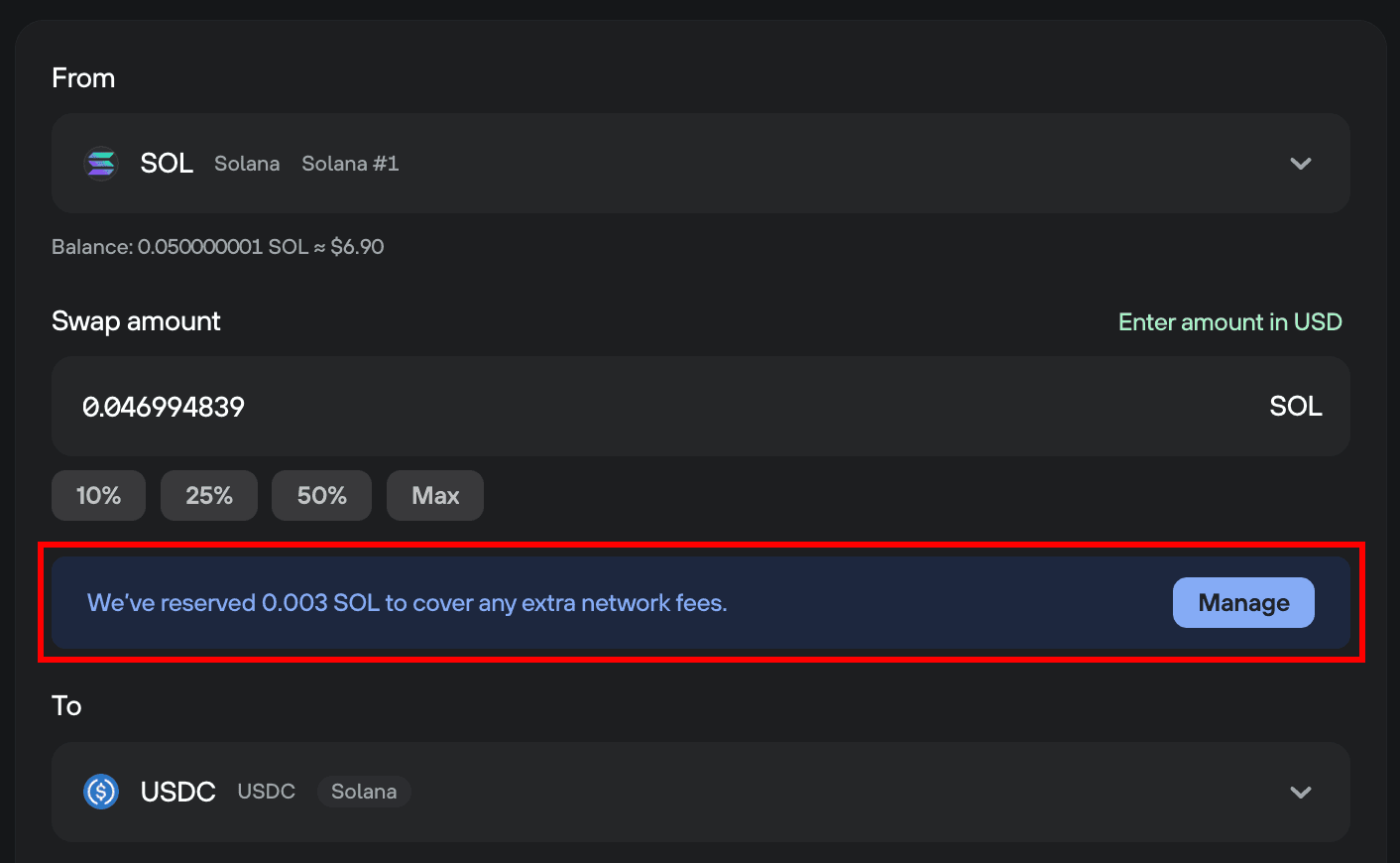
To disable the feature, click Manage, and you’ll be taken directly to the Networks settings menu, where you can toggle the feature off:

You can access Networks settings any time by navigating to: ⚙️ Settings > Application > Networks
Apakah artikel ini membantu?