Trezor Suite trade issues
If a trade you started in Trezor Suite hasn't completed, didn't arrive, or you have another issue, this article walks you through what to check and how to get help.
How trades work in Trezor Suite
Trezor Suite shows you offers from integrated third-party providers and routes your trade through the provider you select. The provider handles payment processing, identity verification (where required), and delivery of your assets. Trezor doesn't process the trade itself.
For more on how this works, see Trade crypto in Trezor Suite.
Common issues
My trade is taking too long
Most trades complete within 30 minutes. Some take a few hours, depending on the network, the payment method, and the provider's processing time. If a trade is still pending after a few hours:
- Check Trade history in Trezor Suite for the latest status.
- Open the trade detail and follow the link to the provider's order status page or support.
I sent the wrong asset or used the wrong network
When you complete a trade, the provider tells you exactly which asset and network to send to. Sending a different asset, or sending an asset on the wrong network, can result in lost funds. The provider may not be able to recover them.
If you're not sure which network to use, see How to choose the right network when withdrawing from or sending to Trezor.
My asset isn't supported by my Trezor
Only buy or swap into assets that your Trezor supports. The full list is at trezor.io/coins. Sending an unsupported asset to your Trezor wallet can leave it unrecoverable through Trezor Suite.
KYC verification is taking too long
KYC is handled by the provider, not by Trezor. Verification times vary by provider and region. Contact the provider's support team directly if your verification is delayed.
Contact Trezor Support
If your trade is still stuck after checking the above, reach out to Trezor Support through Chatbot Hal. Provide:
- Your Trade ID
- A short description of the issue
- Any error messages or screenshots you can share
Trezor Support can help with issues on the Trezor side, including questions about supported assets, networks, and how the trade flow works in Suite.
For payment, KYC, or delivery issues that originate with the provider, you may need to contact the provider directly.
Find your Trade ID
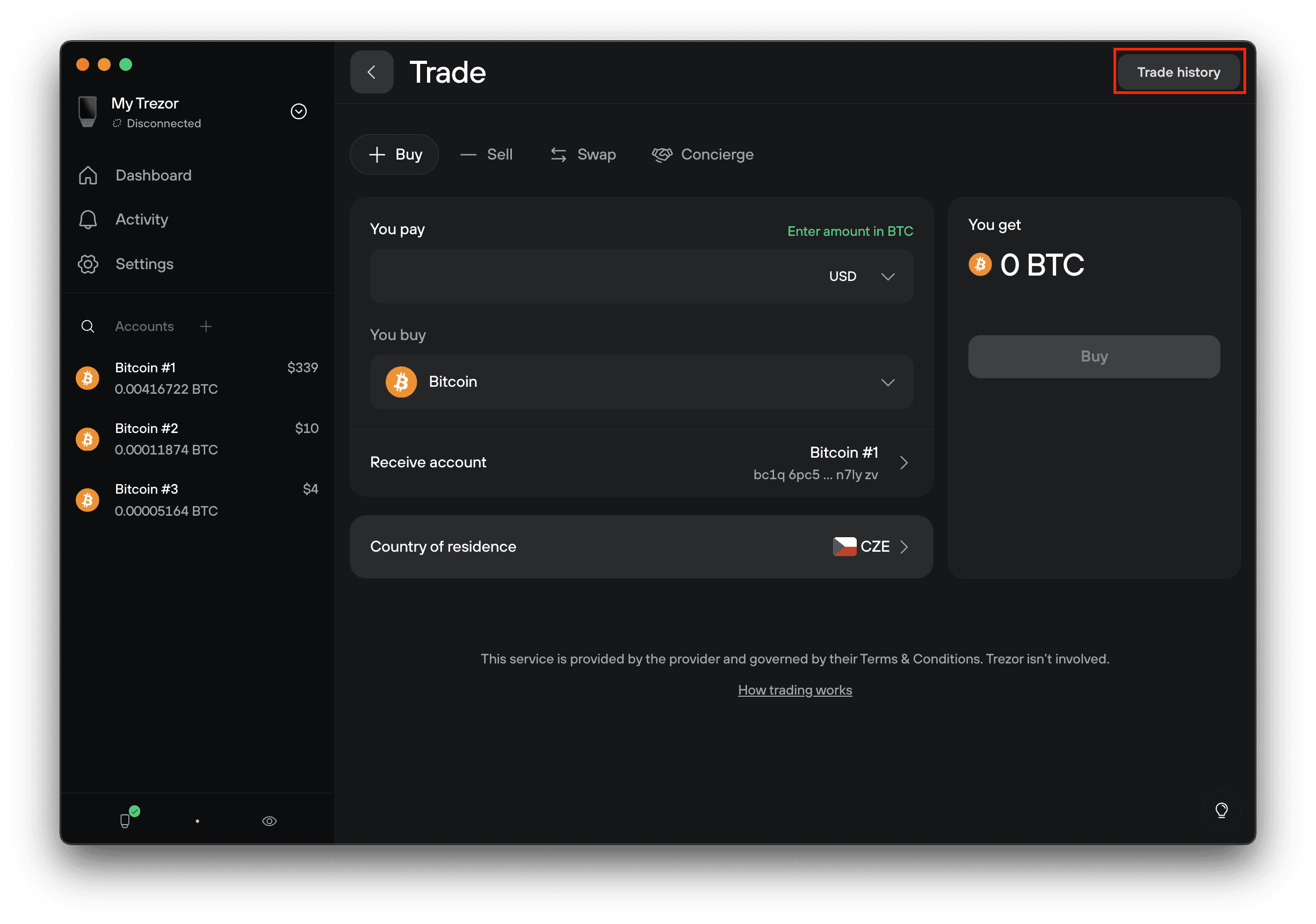
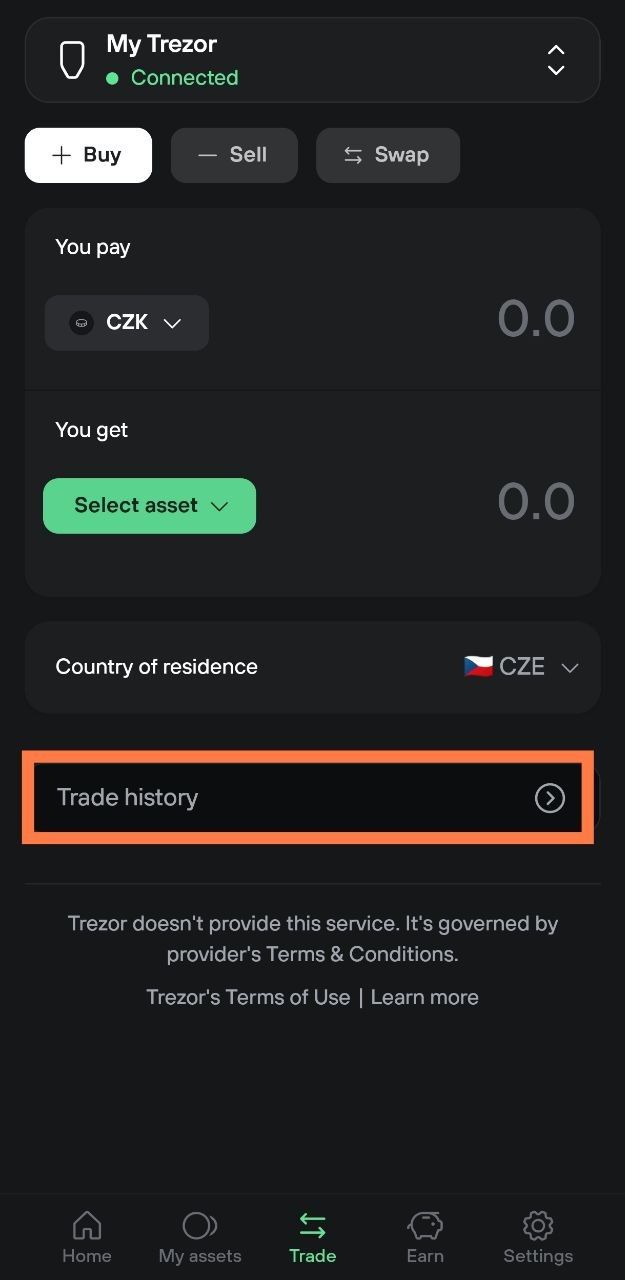
If you need to contact Trezor Support about a trade, you'll be asked for the Trade ID. You'll find it in Trade history.
Where to find your Trade history
- Desktop: open the Buy, Sell, or Swap tab in Trezor Suite, then click Trade history in the top right corner.
- Mobile: open the Trade tab, then tap Trade history at the bottom.
Each trade in the list shows its Trade ID. Open a specific trade to see its full details.
Related articles
- Trade crypto in Trezor Suite
- Buy crypto in Trezor Suite
- Sell crypto in Trezor Suite
- Swap crypto in Trezor Suite