Upozorňujeme, že naše články jsou momentálně dostupné pouze v angličtině.
Buy crypto in Trezor Suite
Use Trezor Suite to buy crypto with fiat and have it sent directly to your Trezor wallet.
This guide walks through the steps on desktop and mobile.
Desktop
1. Open the Buy tab
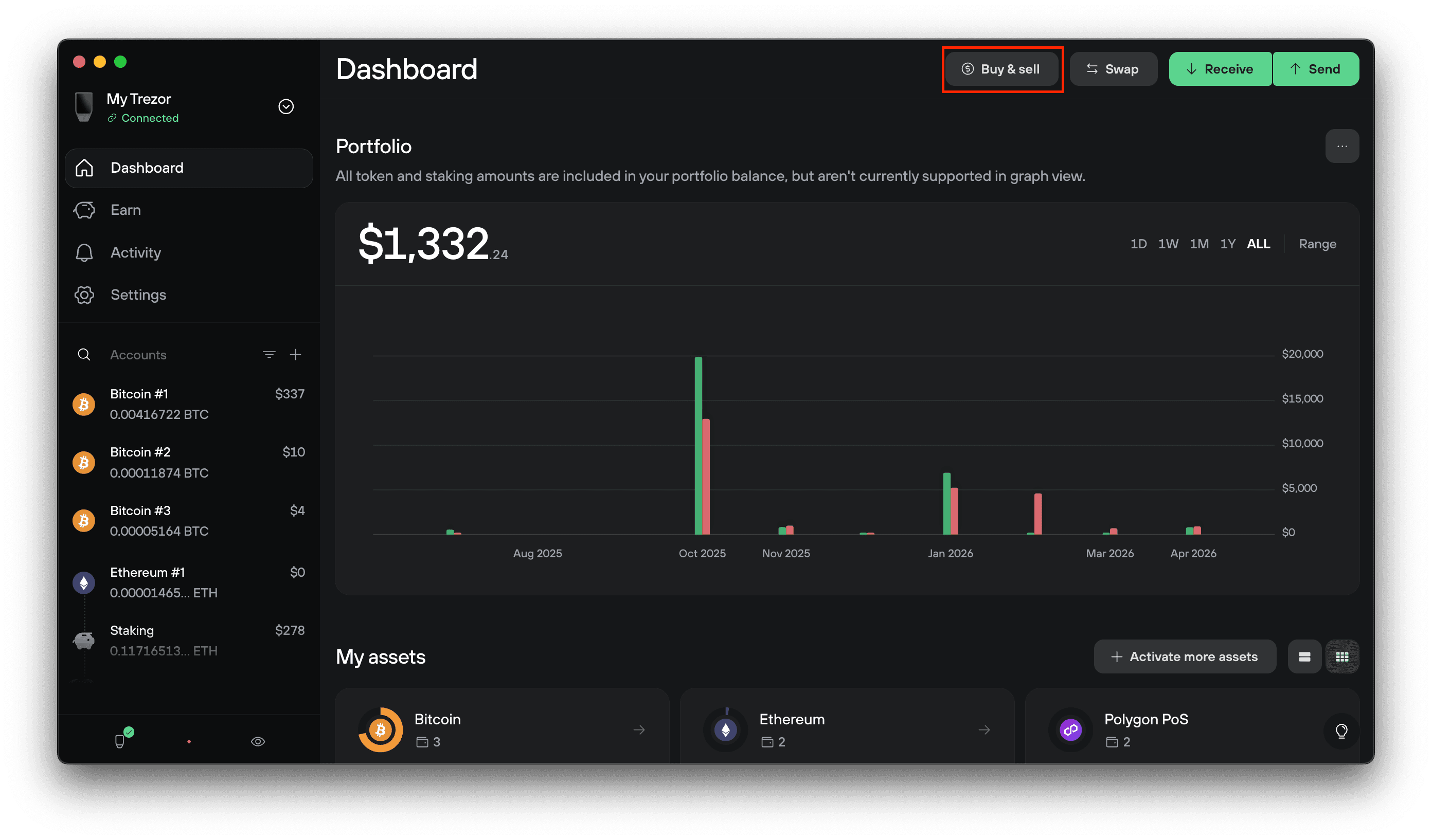
Connect and unlock your Trezor, and open Trezor Suite. Click Buy & Sell in the top menu, then make sure the Buy tab is selected.
2. Set up your purchase
Fill in the form:
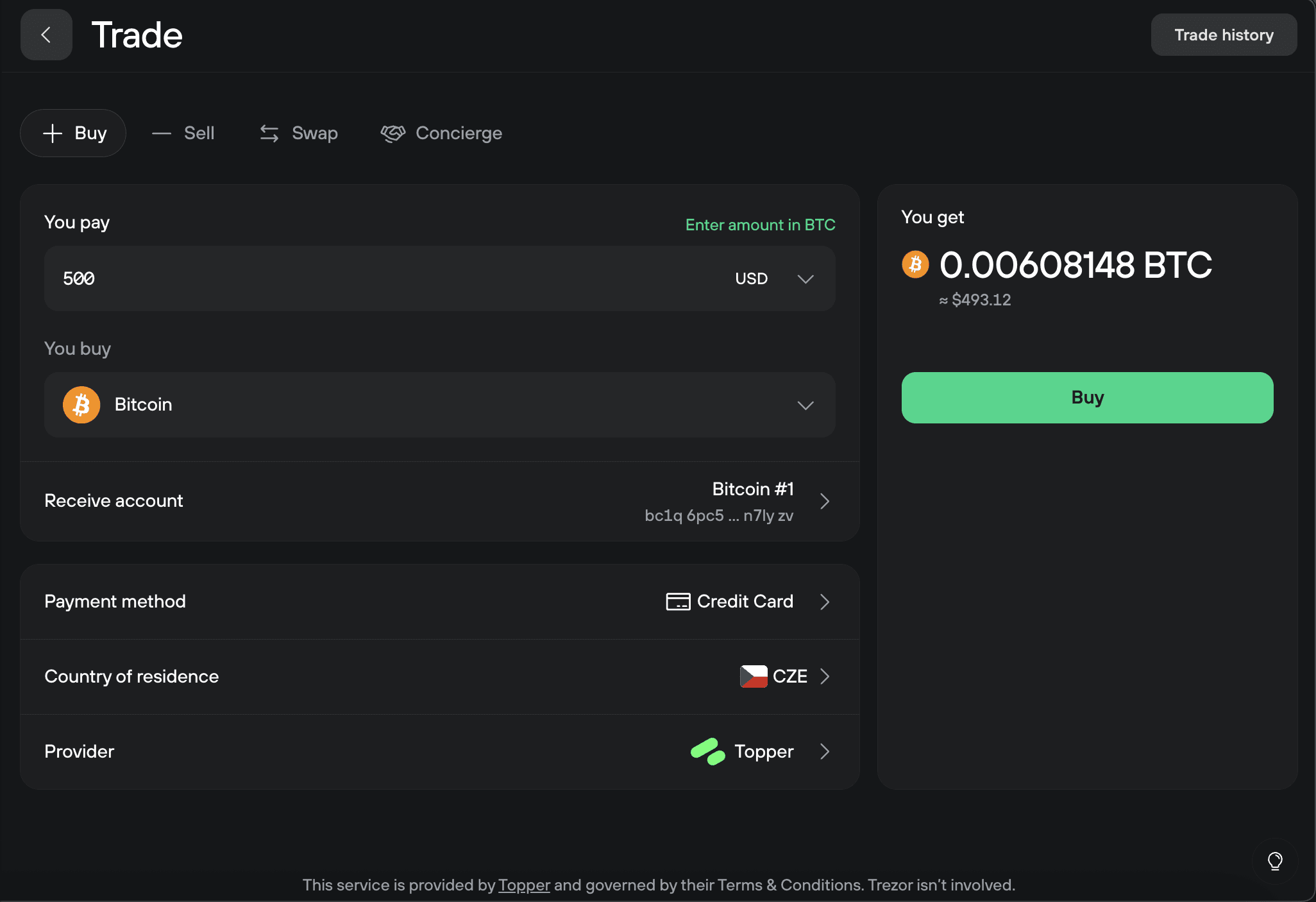
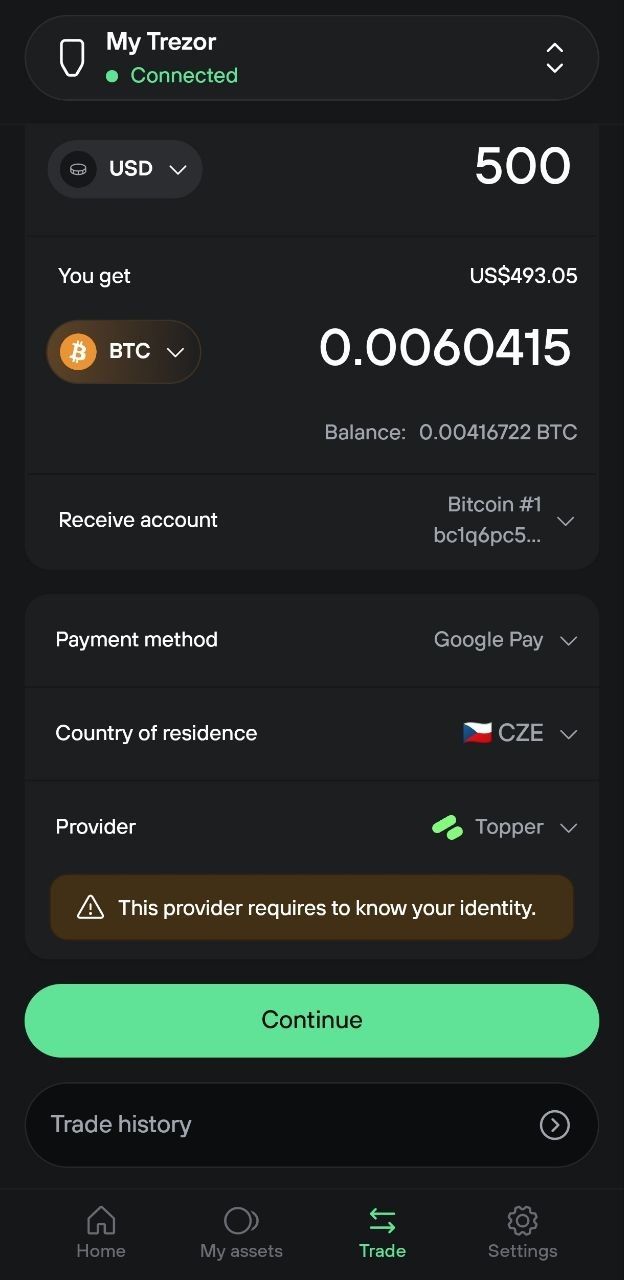
- You pay: the amount you want to spend in your local currency. To specify the crypto amount instead, click Enter amount in BTC (or your chosen coin).
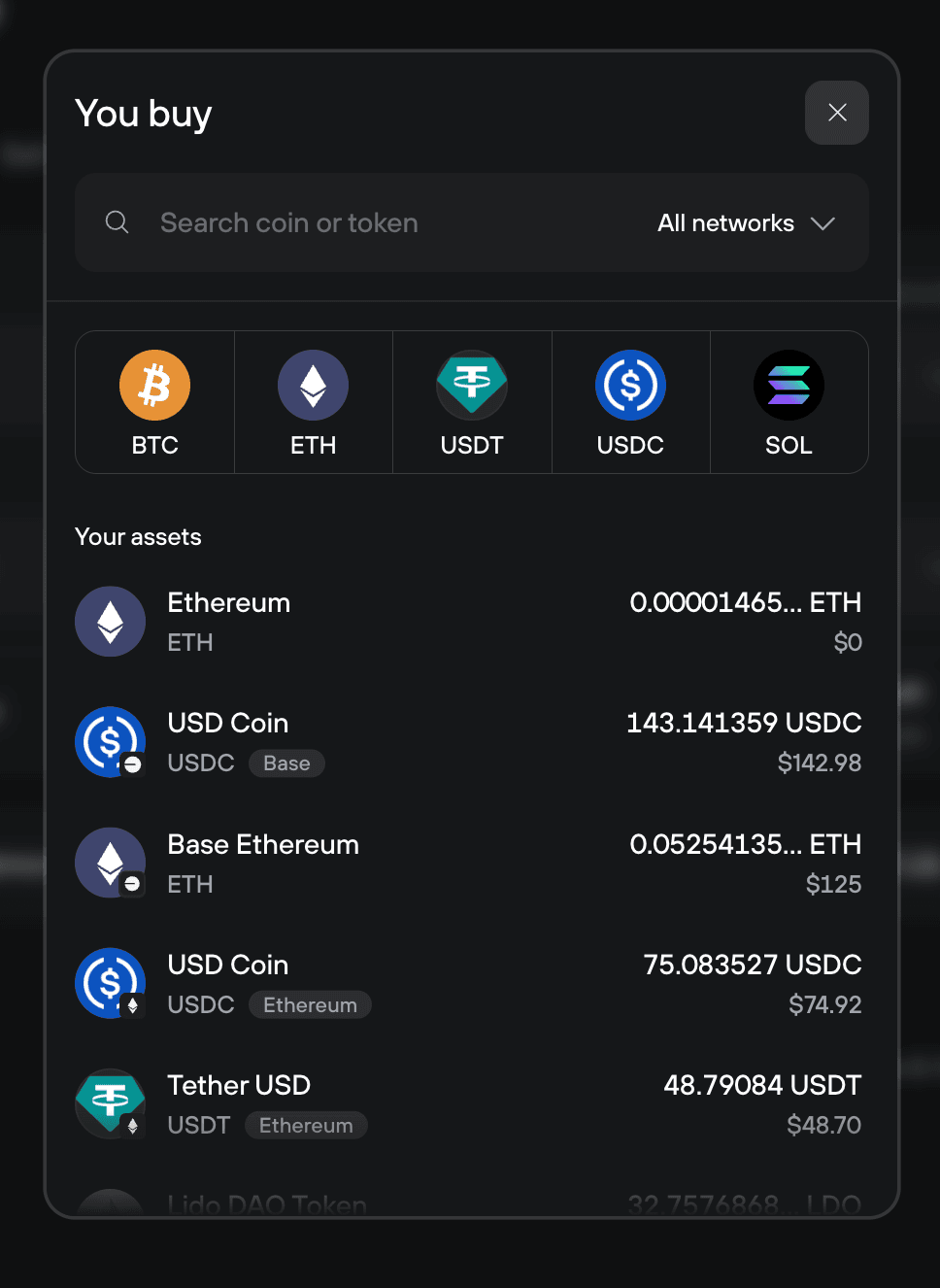
- You buy: the cryptocurrency you want to purchase. Some tokens are available on multiple networks. USDT, for example, exists on Ethereum, Base, Solana, and others. Use the search bar in the You buy selector to find a specific token, or filter by network to narrow the list. The network you pick determines which version of the token you buy. For more, see How to choose the right network when withdrawing from or sending to Trezor.
- Receive account: the Trezor account where the crypto will land.
- Payment method: card, bank transfer, Apple Pay, Google Pay, etc.
- Country of residence: your country, so Suite can show offers available to you.
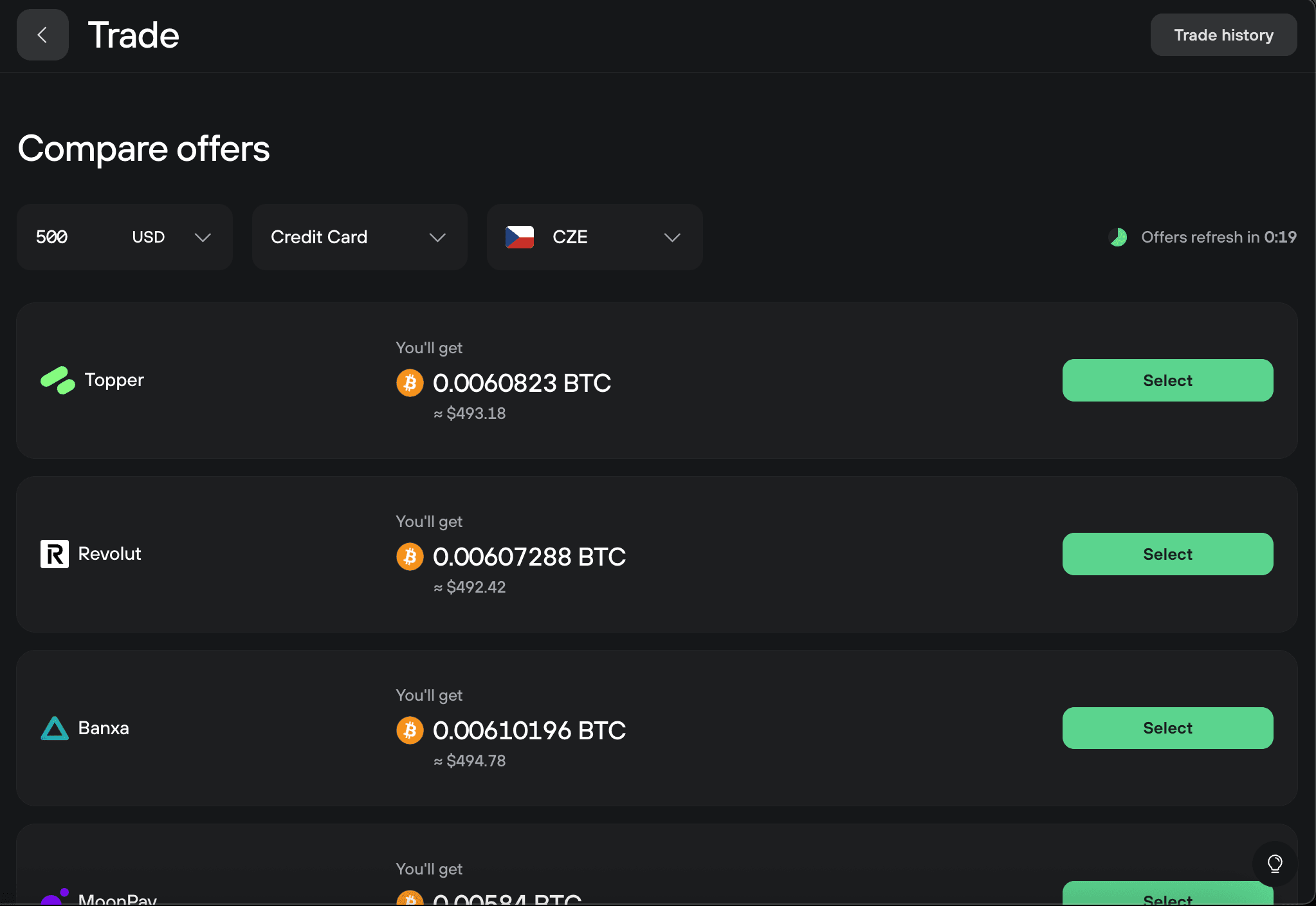
- Provider: the matched provider. Click to compare alternatives. You will see a comparison view listing every available provider and the amount of crypto you'd receive from each. Click Select next to the one you want.
3. Complete the purchase with the provider
Click Buy. You'll be redirected to the provider's website to complete your payment.
The provider handles payment processing and any identity verification (KYC). Follow their instructions and complete the payment.
4. Receive your crypto
Once your payment clears, the provider sends your crypto to the receive address you confirmed. Most transactions arrive within 30 minutes, though some can take a few hours depending on the network and provider. Your wallet shows the incoming transaction once it's broadcast.
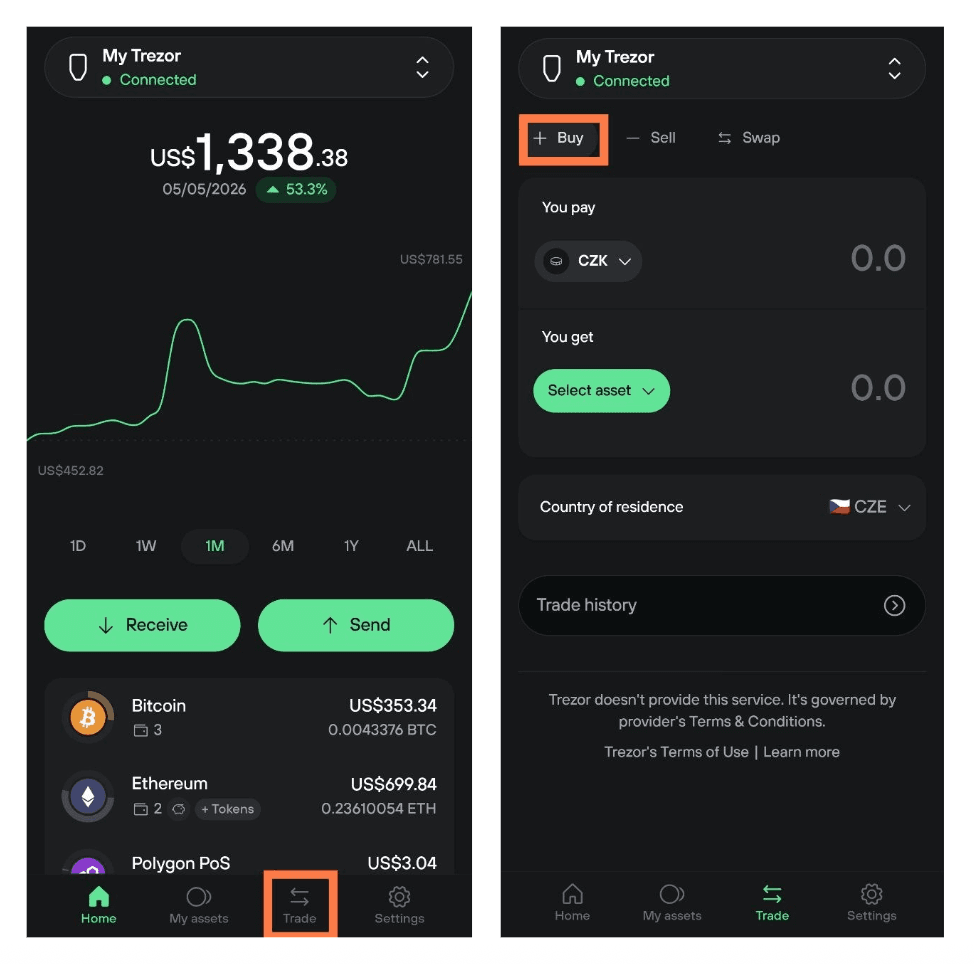
View your Buy history
Here is where you can find information about your past buys
- Desktop: open the Buy tab, then click Trade history in the top right corner.
- Mobile: open the Trade tab, then tap Trade history at the bottom.
What is KYC?
KYC stands for "know your customer." It's a legal requirement for financial services, designed to verify customer identity, typically by collecting a phone number, ID, and sometimes a selfie before a first transaction. Once verified with a provider, you usually don't need to repeat the process for future trades with that same provider.
Most Buy providers require KYC. You'll be guided through the process on the provider's website. Some providers offer non-KYC options up to a transaction limit, or for specific regions.
Trezor doesn't collect or store the data you provide to a Buy provider. KYC information flows directly between you and the provider.
How are providers selected?
Trezor only integrates non-custodial Buy providers. Crypto you purchase is transferred directly to your Trezor wallet rather than held on the provider's platform.
Each integrated provider has:
- A track record in the crypto industry
- Positive customer experience
- Legal compliance in supported jurisdictions
- Coverage of relevant fiat currencies and payment methods
Partnerships are reviewed regularly, and the list of integrated providers is updated over time.