ご注意:当社記事は現在英語のみでのご提供となっています。
Installing Trezor Suite on MacOS
This guide walks you through installing the Trezor Suite desktop application on macOS.
Minimum Requirements
- macOS (version 11“Big Sur”) or higher
Download and Install Trezor Suite
- Go to trezor.io/trezor-suite and download the installation file.
For Macs with an Intel processor, make sure you download the "x64" version.
- Open the downloaded file.
- Drag the Trezor Suite icon to the Applications folder.
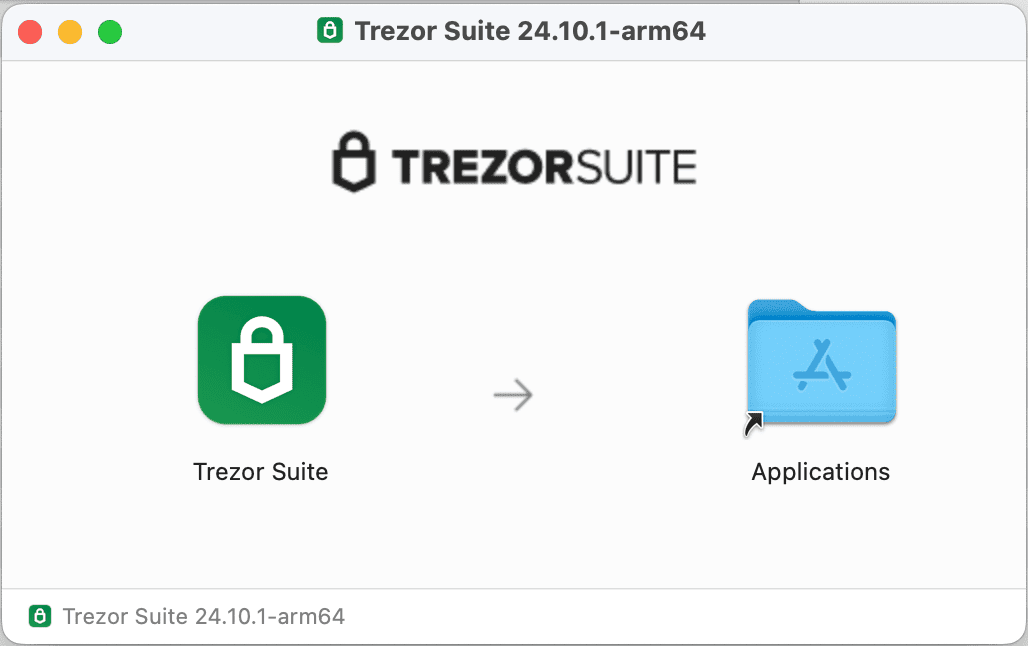
- Open Trezor Suite (you can find it using Launchpad or Spotlight).
- When prompted, macOS will ask for permission to open the application. Click Open.

You're All Set
Trezor Suite is now installed. You can connect your Trezor hardware wallet and start managing your bitcoin and crypto assets.
この記事は役に立ちましたか?