Upozorňujeme, že naše články jsou momentálně dostupné pouze v angličtině.
Order a Trezor with Anonymous Pickup
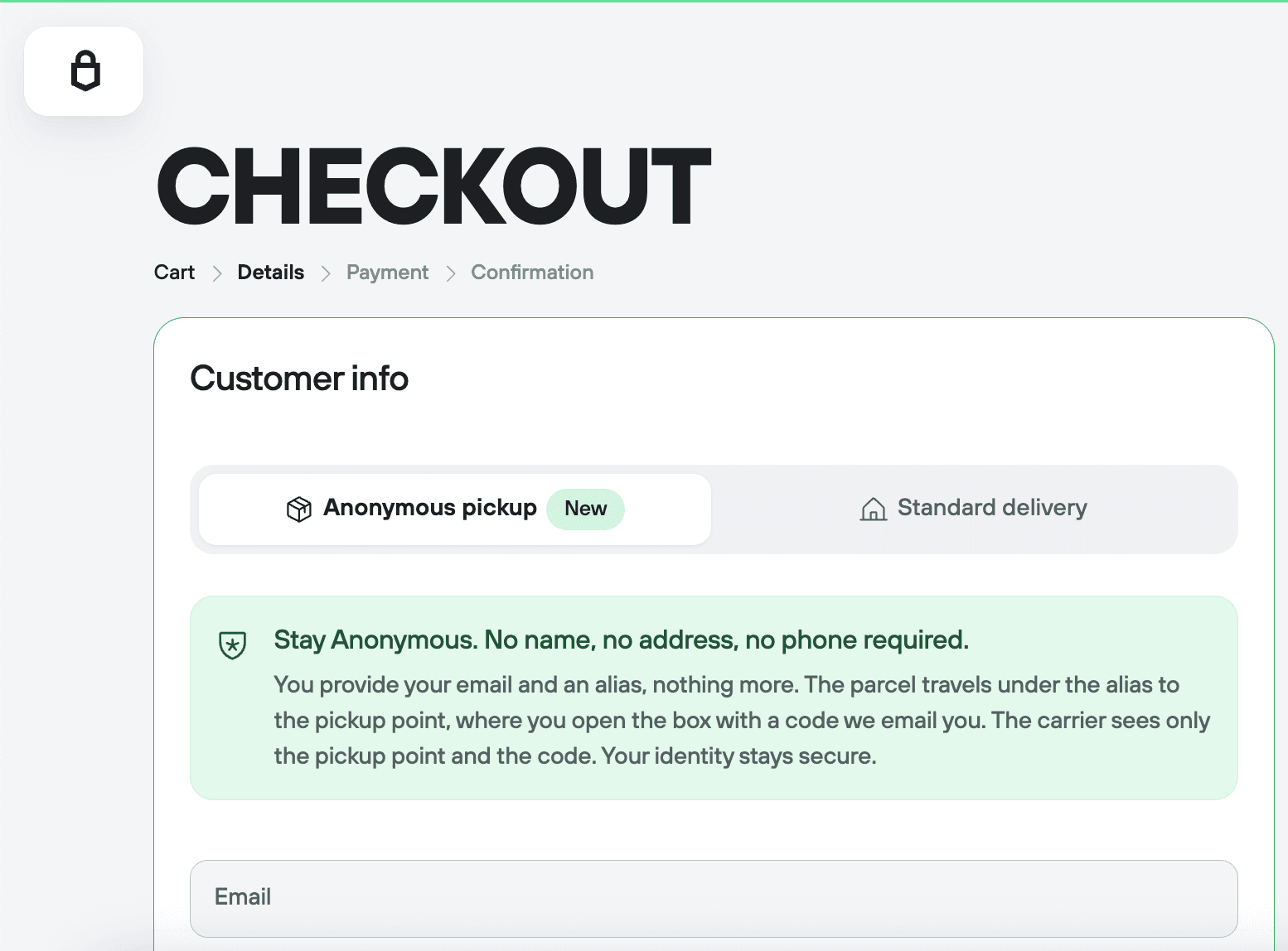
Anonymous Pickup lets you order a Trezor on trezor.io without giving your real name, home address, or phone number. At checkout, you enter an email address and an alias, then choose a pickup point: a parcel locker or a staffed counter. Your parcel travels under the alias in a plain box, and you collect it with a pickup code sent to your email. You don't need ID to collect your parcel.
Where Anonymous Pickup is available, checkout shows it by default. Standard home delivery and standard pickup point delivery are also available.
- How does Anonymous Pickup protect my privacy?
- Before you start
- How to order with Anonymous Pickup
- How do I collect my parcel?
- What will my parcel look like?
- What data does Trezor keep about an Anonymous Pickup order?
- How do returns and warranty claims work without a name?
- What if I can't collect my parcel?
How does Anonymous Pickup protect my privacy?
Anonymous Pickup keeps your name, home address, and phone number out of your order details. A standard shipping record links a person, a home address, and a hardware wallet purchase. With Anonymous Pickup:
- You give only an email address and an alias.
- Your parcel travels under the alias to a pickup point instead of your home.
- Your parcel ships in a plain box with a generic sender.
Anonymous Pickup doesn't hide your email address or payment details. If you pay by card, the third-party payment processor receives your name, address, and card details. If you pay in crypto, it receives only transaction details.
To see what data Trezor collects and how long it's kept, read Privacy policy at Trezor.
Before you start
Anonymous Pickup works only for orders on trezor.io, in countries where it's available. Resellers and marketplaces use their own shipping. If checkout doesn't show Anonymous Pickup, it isn't available in your country yet.
You need an email address. Your order confirmation and pickup code go to it.
You can order any Trezor device or accessory with Anonymous Pickup. It costs the same and takes the same time as standard home delivery.
Anonymous Pickup orders can't include a VAT invoice with a company name. If you need a full invoice for your business, use standard delivery.
How to order with Anonymous Pickup
Go to checkout, enter your email address and an alias, then choose a pickup point.
1. Go to checkout
Add your items to the cart and go to checkout. Where Anonymous Pickup is available, checkout shows it by default.
2. Enter your email address
Enter an email address in Email. Your order confirmation and pickup code go to it. Without the pickup code, you can't collect your parcel.
Use a disposable email address, not one you use every day.
3. Enter an alias
In Alias, enter any name. It goes on the parcel instead of your real name and is never checked against an ID. Pick something you'll recognize but others can't link to you.
4. Choose a pickup point
Select your Country of delivery. Under Pickup points, select a delivery option. Checkout shows the price and delivery time for each one.
A map opens. Choose the pickup point you want to collect from. Depending on your country, pickup points are parcel lockers, staffed counters, or both.
5. Pay and place your order
Select Continue to payment and complete payment. Your order confirmation email contains your order number. Keep this email: you need the order number for returns and warranty claims.
Pay in crypto to keep your name away from the payment processor.
How do I collect my parcel?
Collect your parcel with the pickup code the carrier emails you, a PIN or QR code. The carrier sends it when your parcel reaches your pickup point.
You don't need ID at a parcel locker or a staffed counter. Your parcel is released with the code, and your alias is never checked against ID.
While your parcel is on its way, the carrier sends tracking updates to the email address you gave at checkout.
Pickup points hold parcels for a limited time, then send them back. Collect your parcel as soon as you receive your pickup code.
What will my parcel look like?
Your Anonymous Pickup parcel arrives in a plain box with no Trezor branding. The label lists the sender as a generic fulfillment center and the contents as an electronic accessory.
Inside the plain box, your device comes in its standard sealed Trezor packaging.
What data does Trezor keep about an Anonymous Pickup order?
No one in the delivery chain receives your name or home address. Trezor deletes the order's shipping details 45 days after delivery. Until then, this is who holds what:
- Trezor: your alias, email address, pickup point, and order.
- The fulfillment partner: what it needs to print the shipping label.
- The carrier: your alias, pickup point, and email address.
- The payment processor: for card payments, your name, address, and card details. For crypto payments, transaction details.
How do returns and warranty claims work without a name?
Use your order number. An Anonymous Pickup order has no name on it, and Trezor finds your purchase by its order number. You can find it in your order confirmation email.
To start a return, go to trezor.io/returns. For a warranty claim, contact Chatbot Hal with your order number.
What if I can't collect my parcel?
Contact Chatbot Hal with your order number. This applies if a pickup point asks for ID before releasing your parcel, or if your parcel is sent back after the hold time ends.
Pickup points used for Anonymous Pickup don't ask for ID. If one does, Trezor contacts the carrier and the pickup point to get your parcel released. If that fails, Trezor gets the parcel back and reships it, or refunds your order.
If your parcel is sent back after the hold time ends, Trezor resends it free of charge or refunds your order once it's returned.