Upozorňujeme, že naše články jsou momentálně dostupné pouze v angličtině.
Fix Cardano staking that's no longer earning rewards
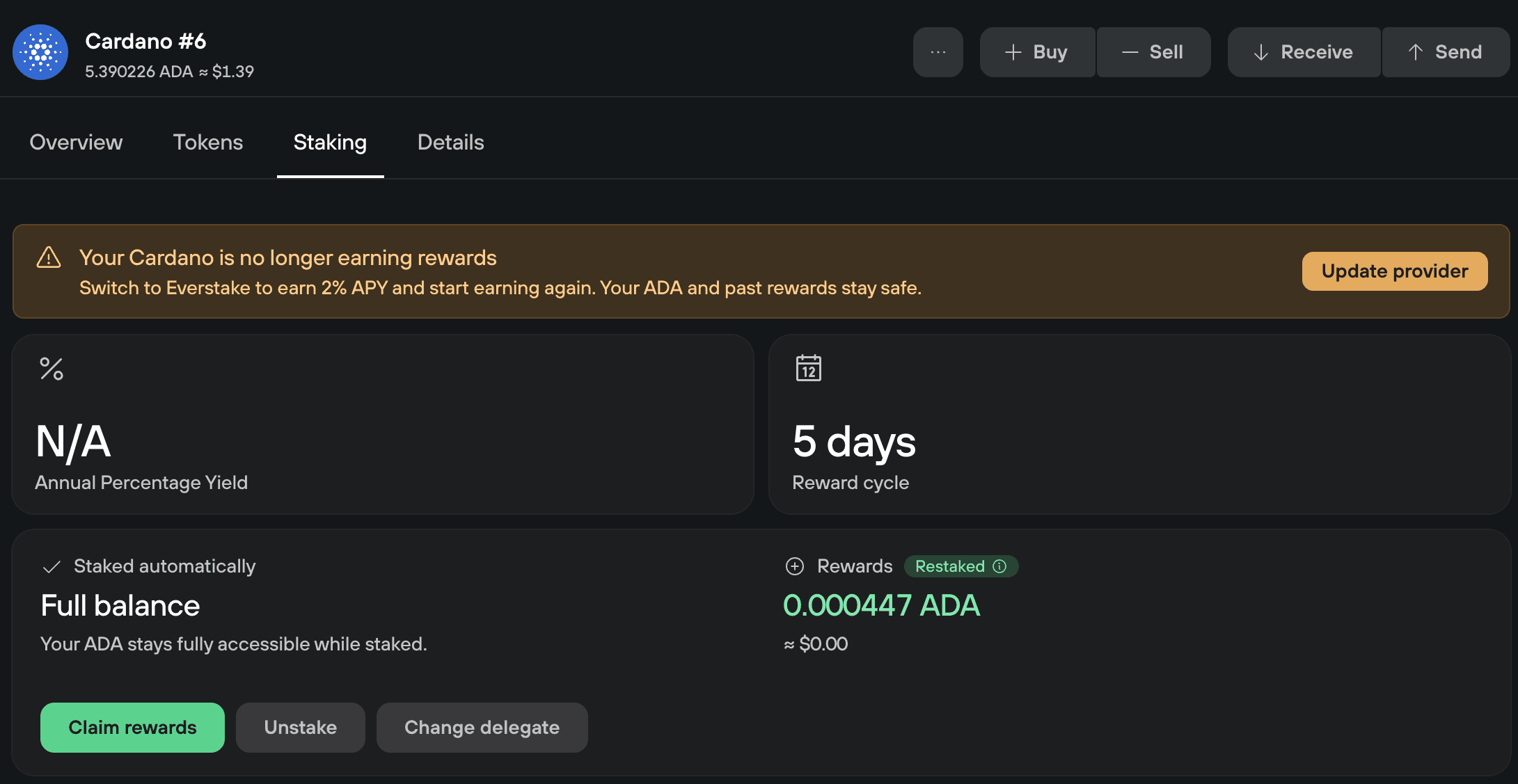
If Trezor Suite shows Your Cardano is no longer earning rewards, your ADA is still staked with Five Binaries, Trezor Suite's previous staking provider. Select Update provider to move your stake to Everstake and start earning again. Your ADA and the rewards you've already earned stay in your account.
Why your ADA stopped earning
Everstake replaced Five Binaries as the staking provider in Trezor Suite 25.11.1. Stake that's still with Five Binaries no longer earns rewards, so Trezor Suite shows a banner on the Staking tab of every account that needs updating.
Move your stake to Everstake
Updating your provider takes one transaction, which you confirm on your Trezor, and costs a network fee. You can update your provider in Trezor Suite on desktop. The mobile app doesn't support it.
1. Select Update provider
Open your Cardano account, go to the Staking tab, and select Update provider in the banner.
2. Choose who votes with your ADA
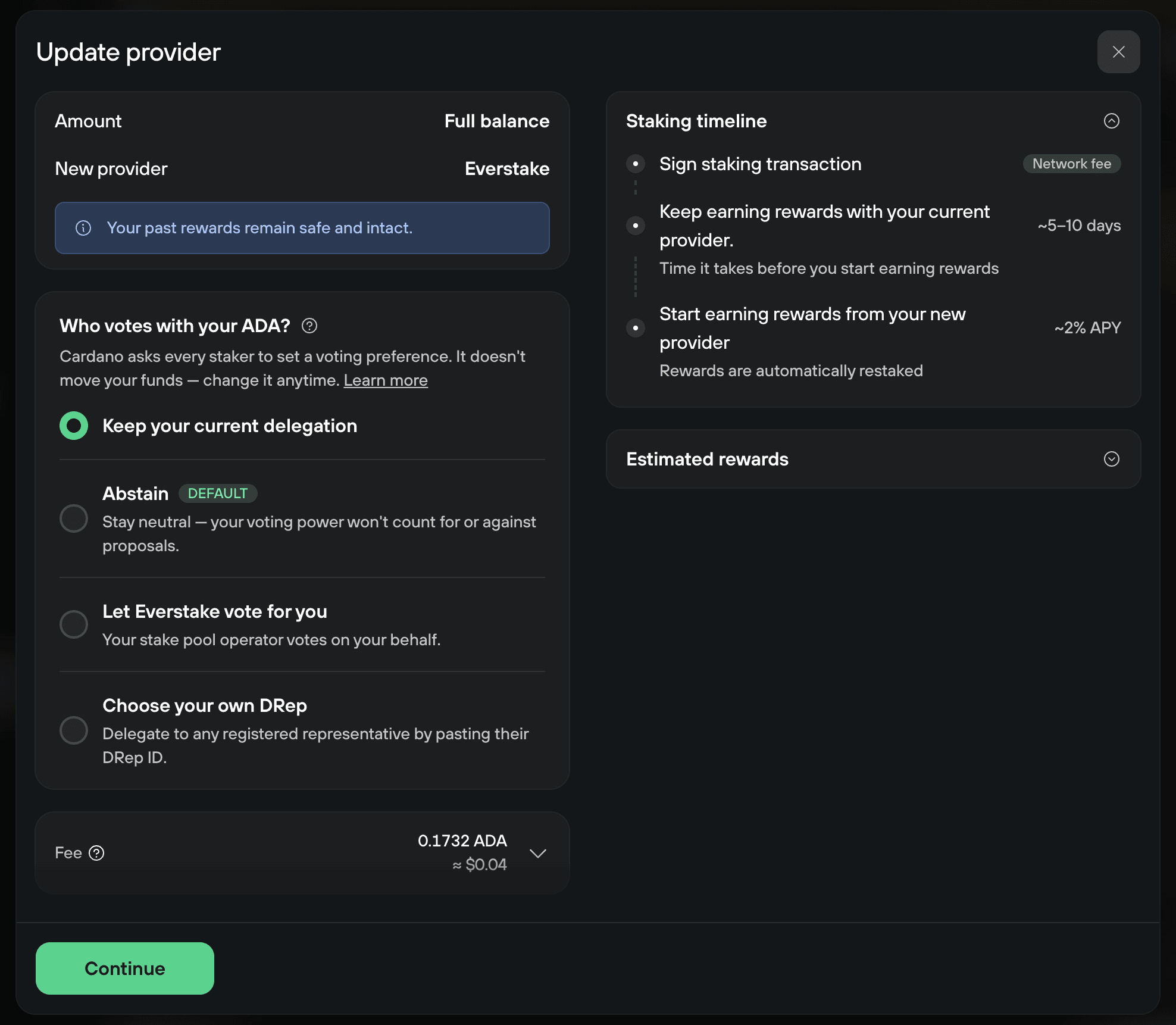
The Update provider window moves your full balance to Everstake. Cardano also asks every staker to choose who votes with their ADA in network governance. Under Who votes with your ADA?, Keep your current delegation is selected. You can choose a different option instead:
- Abstain: your voting power doesn't count for or against proposals.
- Let Everstake vote for you: Everstake votes on your behalf.
- Choose your own DRep: paste the ID of any registered Delegated Representative (DRep).
Whoever you choose can only vote. They can't move or spend your ADA, and you can change your choice later.
3. Review and confirm
Check the network fee, then select Continue. Under To pool, your Trezor shows the Everstake pool your ADA moves to. Check it against the pools Trezor Suite stakes with, then confirm the transaction on your Trezor.
When rewards start again
Rewards from Everstake start after the activation period shown in the Staking timeline of the Update provider window. After that, they arrive every 5 days and are restaked automatically.
For how staking works in Trezor Suite, see Stake Cardano (ADA) in Trezor Suite.
If you can't update your provider
If Update provider doesn't work, or the banner stays after the transaction confirms, contact Chatbot Hal for help.