Atenção: nossos artigos estão disponíveis somente em inglês no momento.
Testnet networks in Trezor Suite
Trezor Suite lets you send and receive transactions on testnet networks. Testnets are test versions of real blockchains where assets have no value, so you can experiment without risking real crypto.
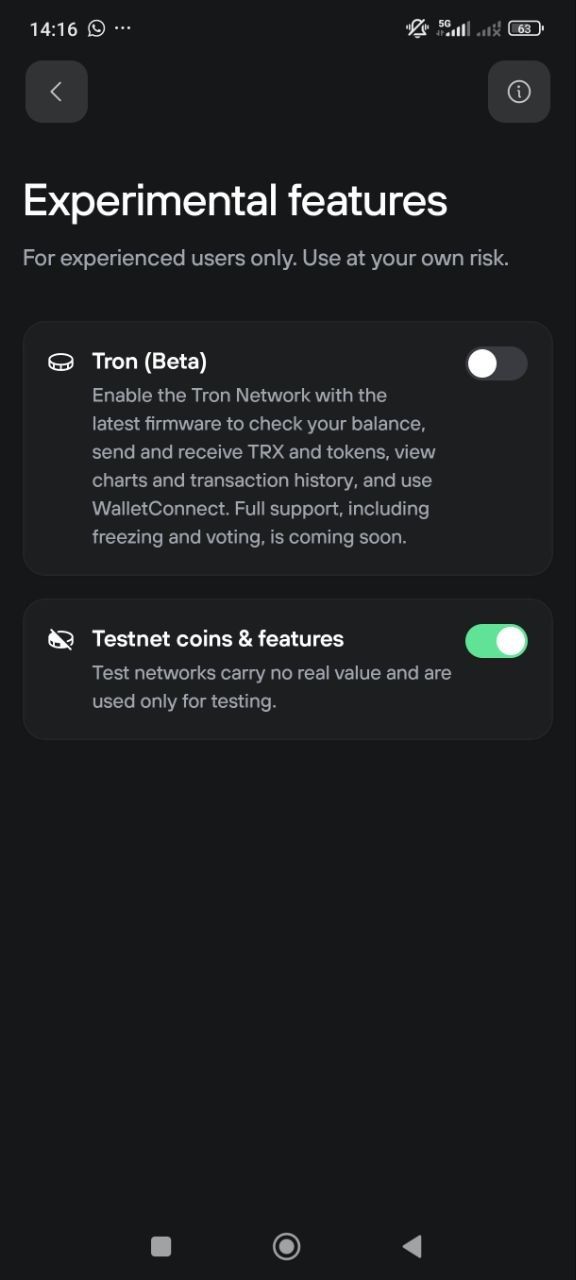
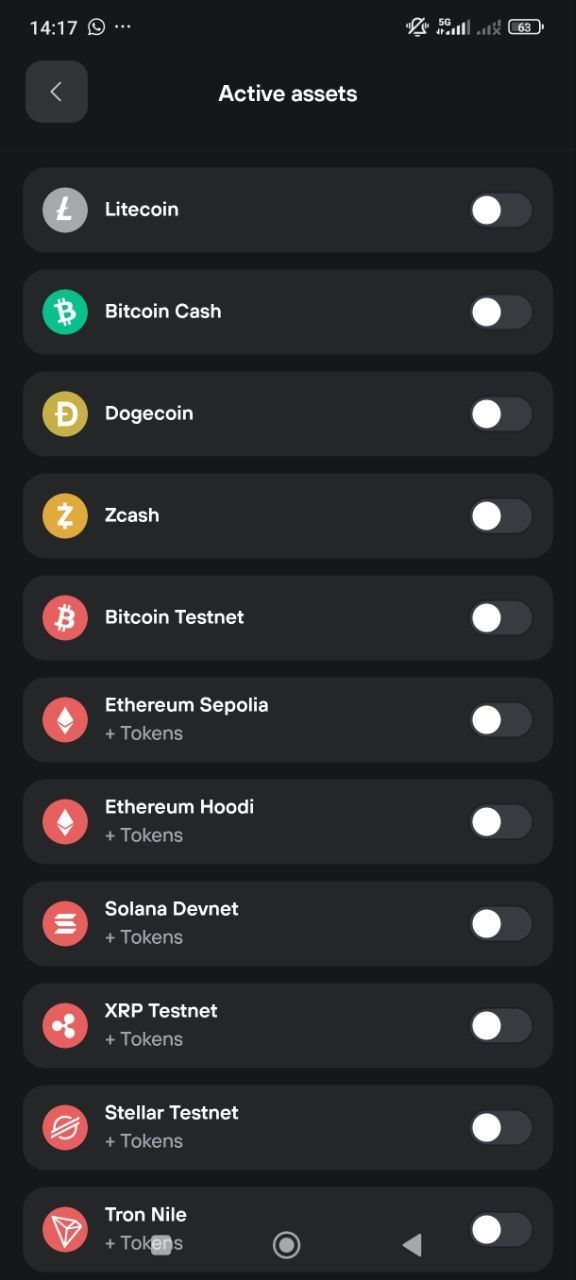
Testnet networks are available on Trezor Suite desktop and mobile.
What are testnets?
A testnet is a separate copy of a blockchain network built for testing. It works the same way as the real (mainnet) network, but the coins on it are free and worthless.
Testnets are useful if you want to:
- Practice sending and receiving crypto before doing it with real funds
- Test wallet recovery, passphrase setups, or multi-account workflows
- Develop or debug apps and scripts that interact with a blockchain
- Explore advanced features like multisig or timelocks
Available testnet networks
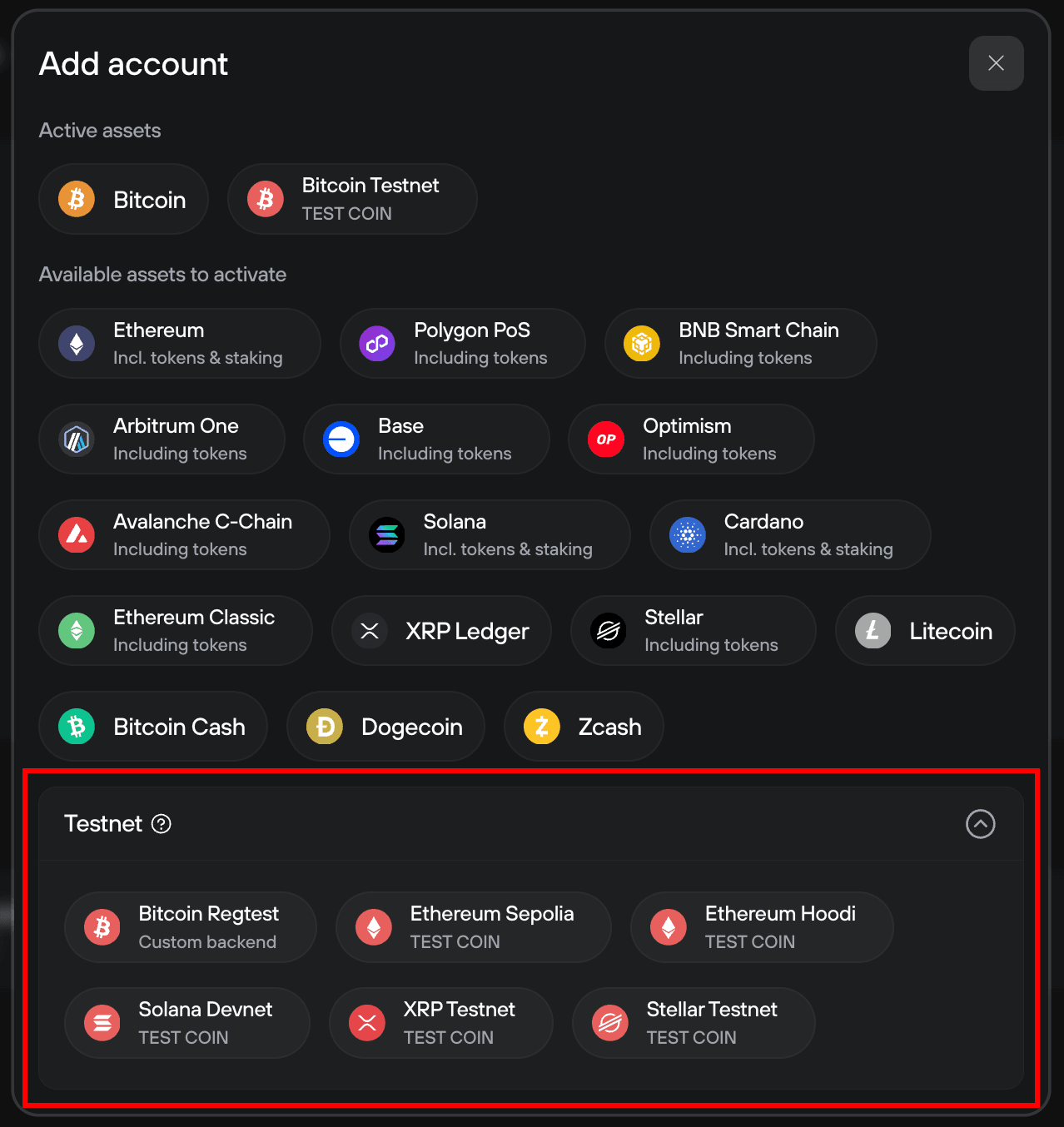
Trezor Suite currently supports six testnet networks:
- Bitcoin Testnet (Testnet4)
- Ethereum Sepolia
- Ethereum Hoodi
- Solana Devnet
- XRP Testnet
- Stellar Testnet
- Tron Nile
How to enable testnet networks on desktop
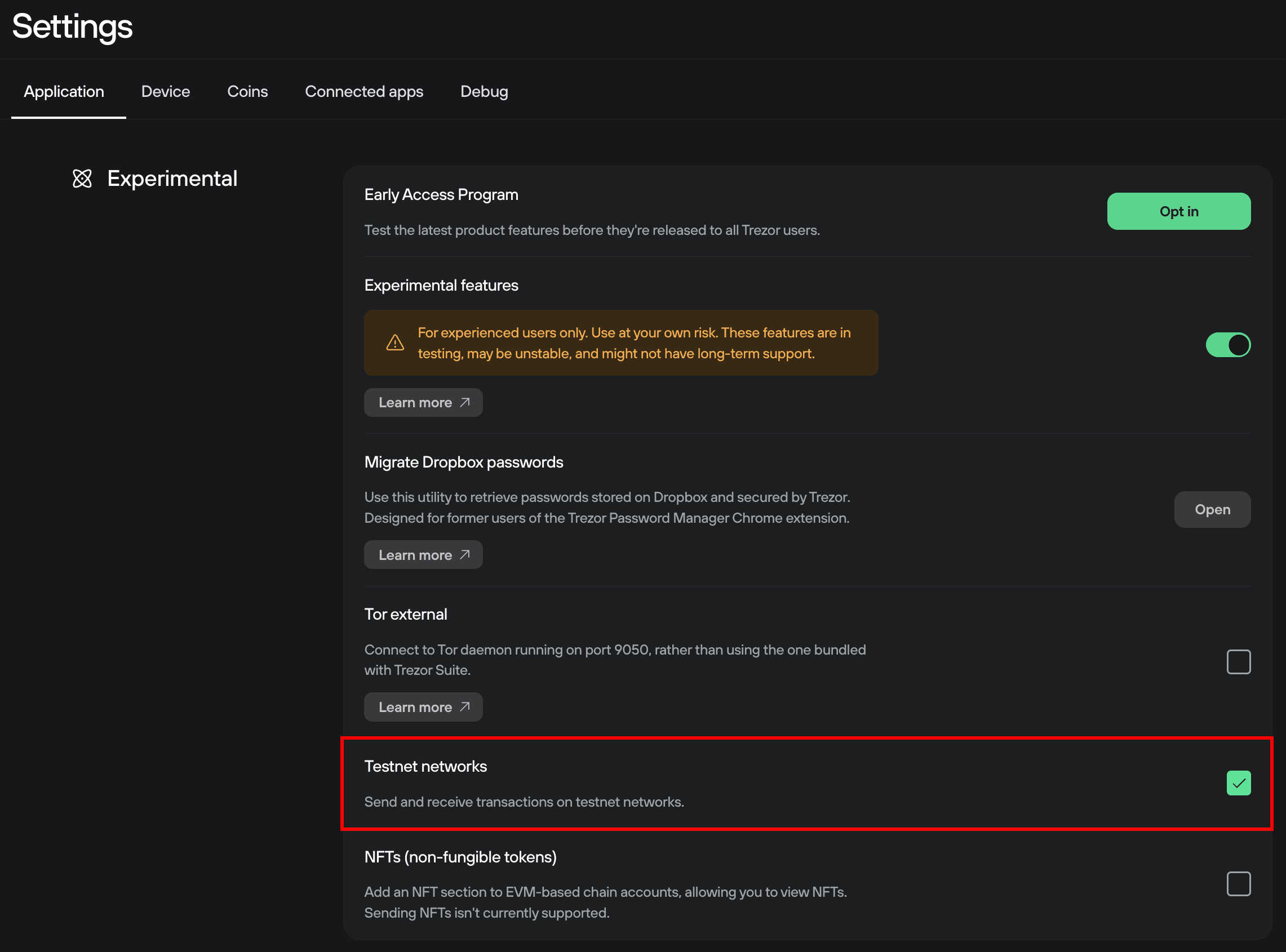
Testnet networks are hidden by default. To access them, you need to enable the Testnet networks option in Experimental features first.
Enable Experimental features:
Open Trezor Suite and go to Settings > Application. Scroll down to the Experimental features section and toggle it on. Then check the Testnet networks box.
For detailed steps, see Experimental features in Trezor Suite.
Activate the testnet networks you want:
Go to Settings > Networks. You'll now see a Testnet section below the regular networks. Click on the ones you want to enable.
Add a testnet account from the sidebar:
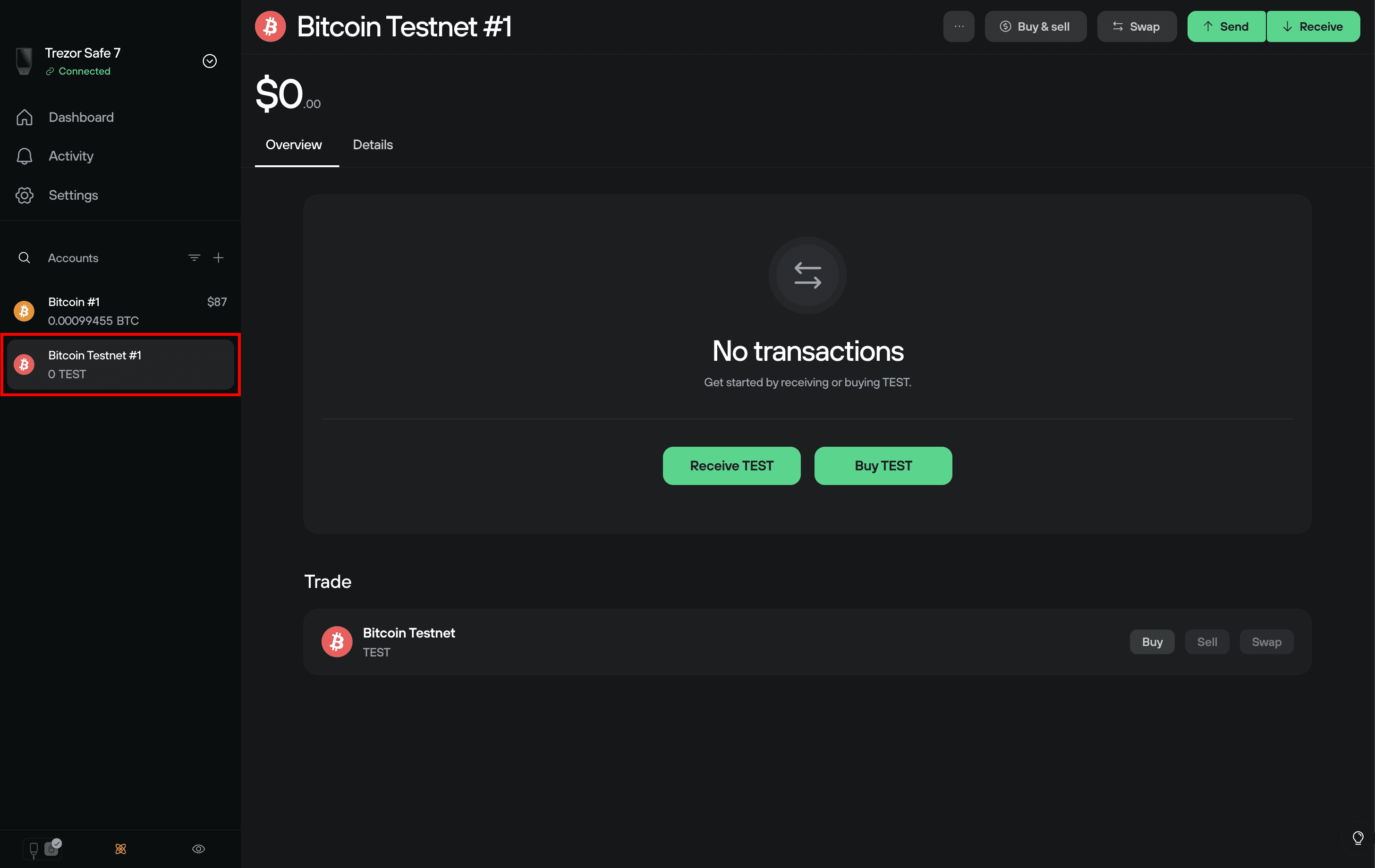
Testnet accounts appear in the sidebar just like regular accounts. You can also add more testnet accounts by clicking the + button at the top of the Accounts sidebar and selecting from the Testnet options.
Once a testnet account is active, you can send and receive testnet coins the same way you would with regular coins.
FAQ
Where can I get testnet coins?
Testnet coins are free. You can get them from websites called faucets, which send small amounts of testnet coins to your address on request.
Search for "[network name] faucet" (for example, "Bitcoin Testnet4 faucet" or "Ethereum Sepolia faucet") to find an active one. Faucet websites change frequently, so if one doesn't work, try another.
Are testnet coins worth anything?
Testnet coins are only meant for testing. They shouldn't be exchanged for real cryptocurrency or money.
What happened to Bitcoin Testnet3?
Bitcoin Testnet4 replaced Testnet3, which had been running for over 13 years. Testnet3 became unreliable due to low coin availability and network disruptions. Testnet4 has protocol-level improvements that make it more stable.
Trezor Suite supports Testnet4 by default. If you still need Testnet3 access, you can connect to it by setting up a custom backend using the Trezor blockbook server at https://tbtc1.trezor.io/.