Save bitcoin using DCA
Dollar-cost averaging (DCA) is a popular investment strategy that can be especially useful for buying digital assets such as bitcoin and cryptocurrencies.
DCA is an effective way to build a crypto portfolio while managing risk, avoiding ‘emotional’ trading, and simplifying the investment process. It is particularly useful in the cryptocurrency market, where prices can change dramatically within short timeframes.
The DCA feature is provided by SatoshiLabs company Invity, so you’ll need to download their app to use the feature. Withdrawing your bitcoin and crypto to the safety of your Trezor hardware wallet is simple and free of charge (except mining fees).
Invity is not directly connected to Trezor Suite. When using Invity to DCA, please note that the your chosen DCA amount is not automatically sent to your Trezor wallet.
You will need to manually withdraw your balance whenever you choose to move it to your Trezor wallet.
Access via Trezor Suite
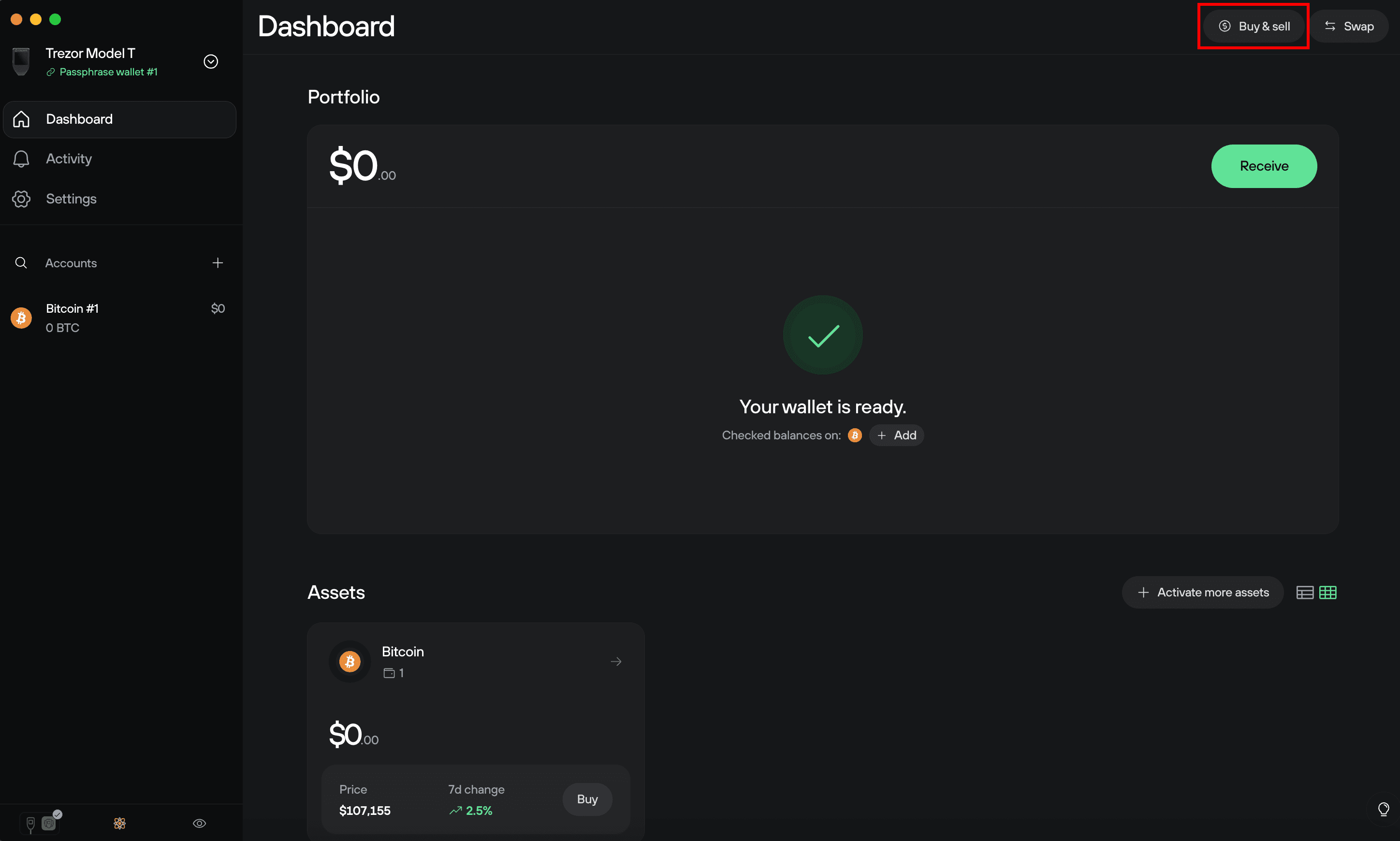
First, click on Buy & sell in the top-right corner of Trezor Suite:
Then click on the DCA tab:
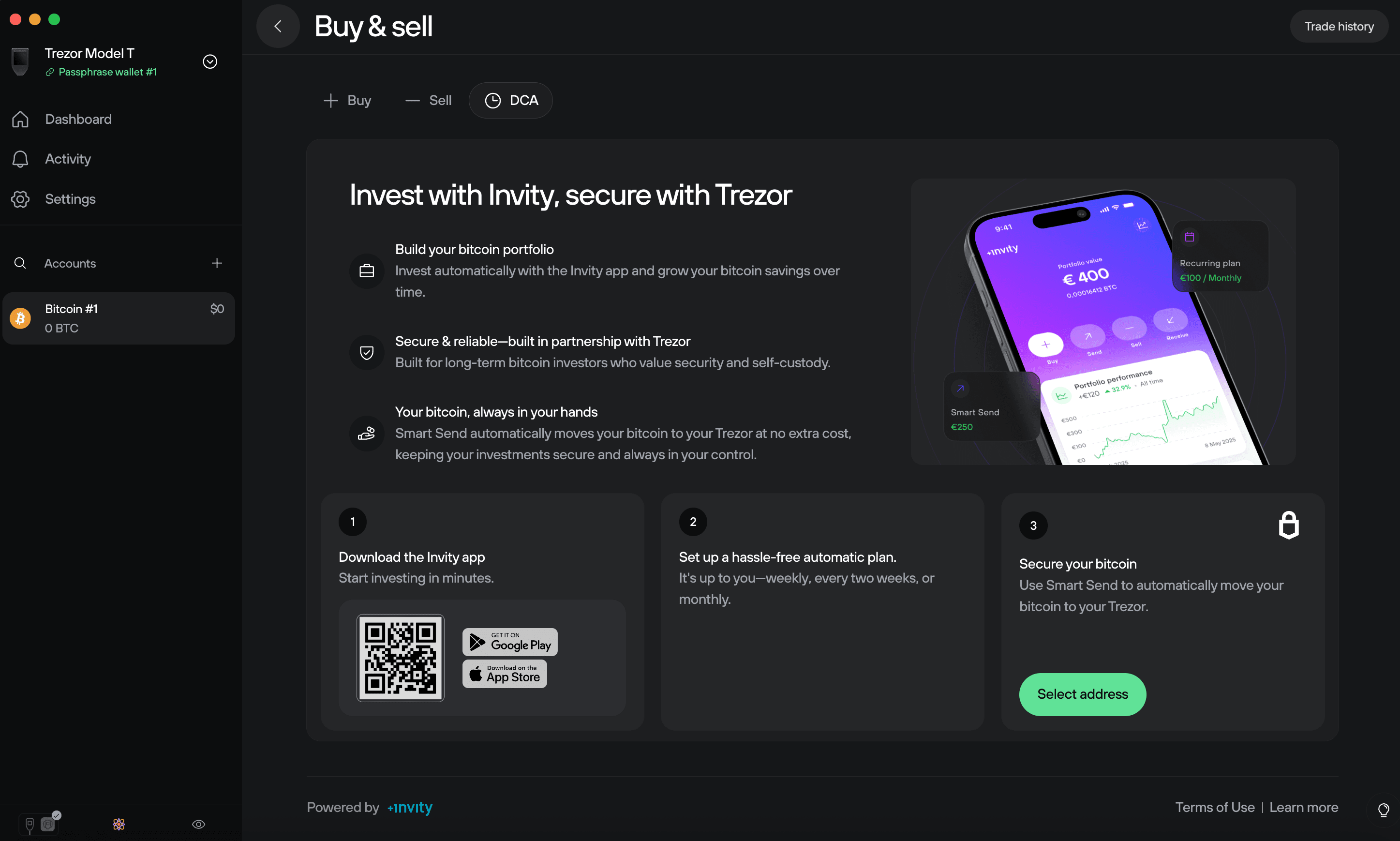
Scan the QR code with your mobile phone and you’ll be redirected to the appropriate app store for downloading the Invity app on your device.