Using Bitcoin Testnet with Trezor
Try out Bitcoin transactions safely using the Bitcoin testnet in Trezor Suite. The testnet is a separate version of the Bitcoin blockchain where you can practice transactions, test apps, and explore advanced Bitcoin features without risking real BTC. This guide covers how to get testnet coins, set up testnet accounts in Trezor Suite, and understand the transition from Testnet3 to Testnet4.
Trezor Suite supports Testnet4, the newest version of the Bitcoin testnet. Testnet3 remains available but has ongoing reliability issues.
What is Bitcoin testnet?
Bitcoin Testnet is a version of the Bitcoin network where you can experiment with features and transactions without using real BTC. It is ideal for developers, educators, and anyone wanting to practice trading Bitcoin safely.
Why use the Bitcoin testnet?
You can use the Bitcoin testnet to:
- Practice making Bitcoin transactions, wallet recovery, and more advanced setups like multisig wallets without using real BTC.
- Develop and test apps, scripts, and integrations safely.
- Explore Bitcoin scripting features such as OP_RETURN and timelocks.
You can view your testnet transactions or check balances on a Testnet4 block explorer.
How to get Bitcoin testnet coins
You can get testnet coins from websites called faucets. These faucets send small amounts of testnet Bitcoin to your address for free.
Here are some active Testnet4 faucets (as of April 2025):
Faucet availability can change. If one site doesn’t work, try another or search for updated faucet links online.
Using Bitcoin testnet in Trezor Suite
Setting up a testnet account in Trezor Suite works just like adding a regular account:
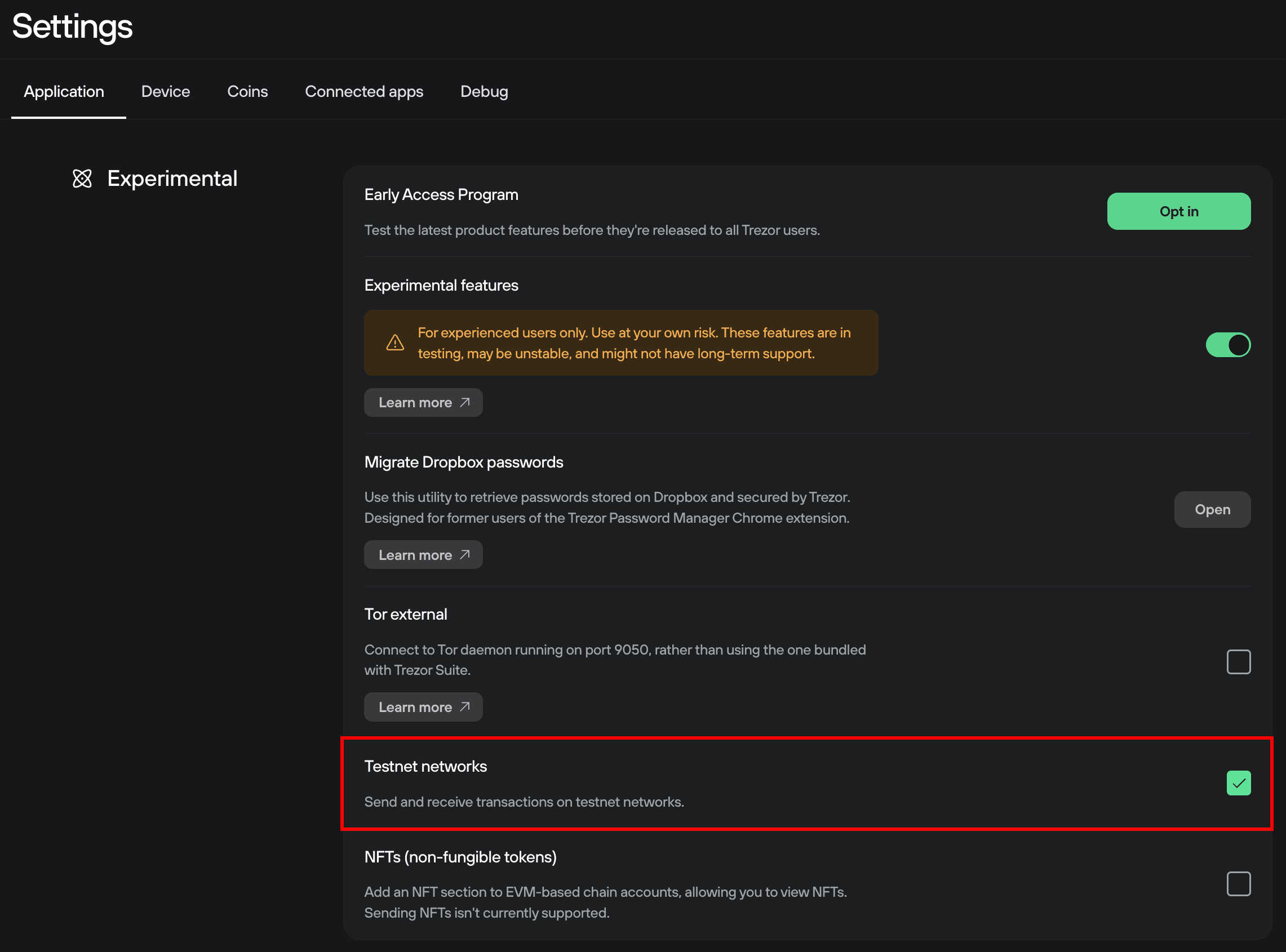
Step 1: Enable testnet coins in Suite by going to ⚙️ Settings > Application > Experimental, and checking the Testnet networks box:
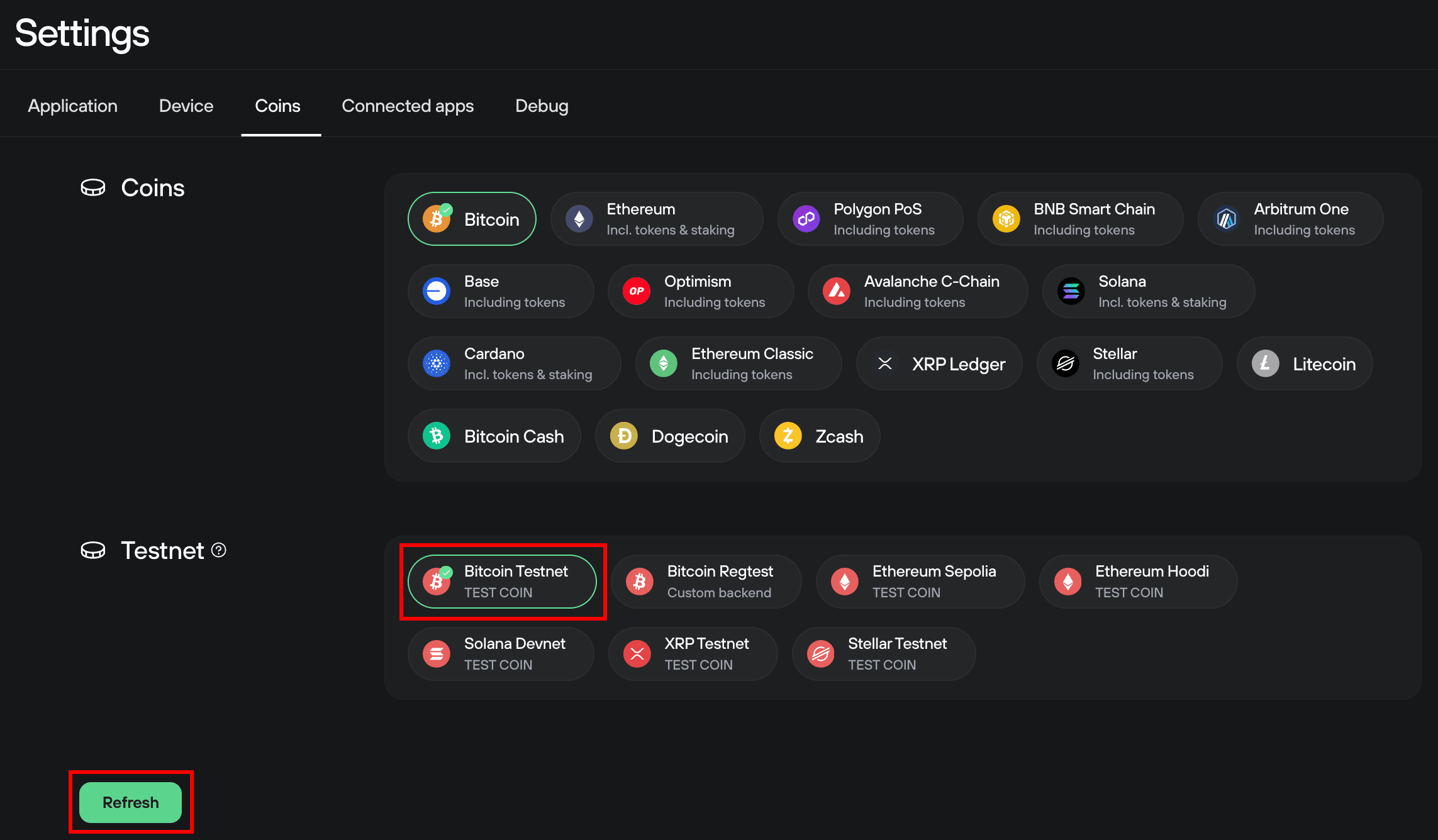
Step 2: With testnet enabled, go to the Coins tab and select Bitcoin Testnet, then Refresh:
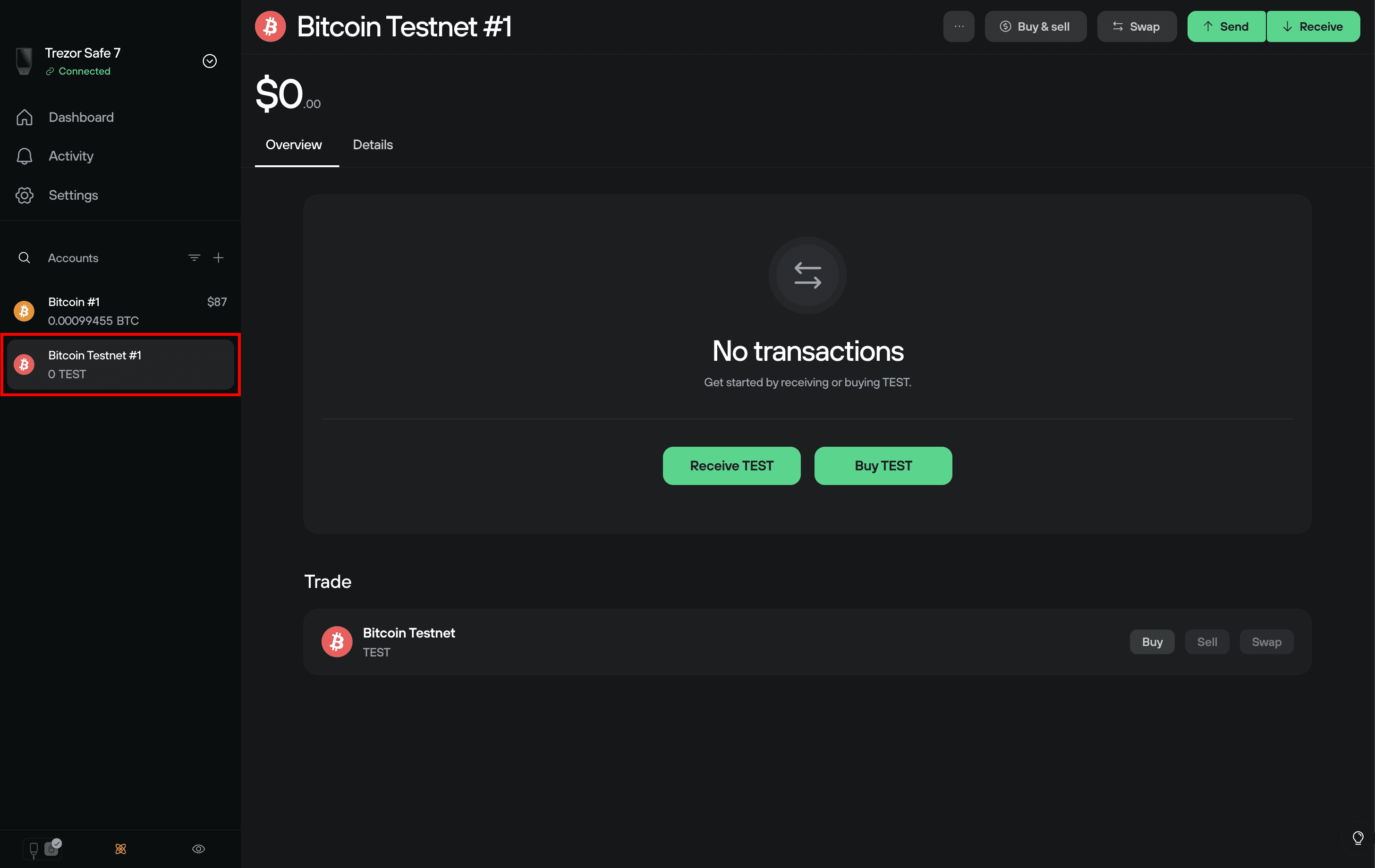
Step 3: You will then see the Bitcoin testnet account listed in the Accounts sidebar, which you can use like any other account in Trezor Suite:
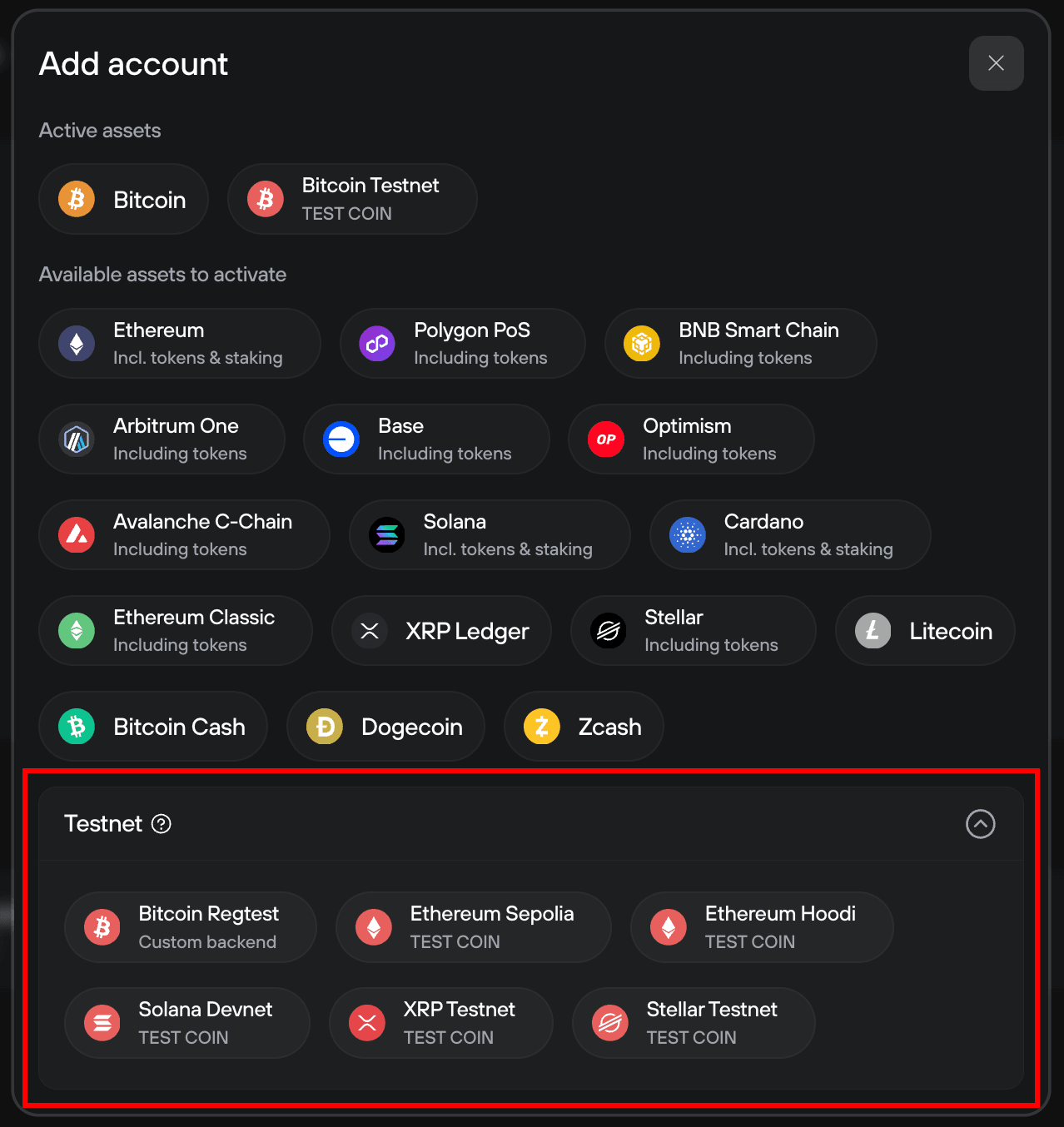
Additional testnet accounts can be added by clicking the plus (+) symbol at the top of the Accounts sidebar, and selecting the appropriate account type from the Testnet drop-down menu:
Why the switch from Testnet3 to Testnet4?
Testnet4 is the current version of the Bitcoin testnet and is supported in Trezor Suite.
- Testnet3 ran for over 13 years but became increasingly difficult to use due to low coin availability and network disruption.
- Testnet4 starts fresh and added protocol changes to mining make the network more resilient against exploits.
You can still use Testnet3 with Trezor Suite by setting up a custom blockbook and connecting to: https://tbtc1.trezor.io/