Buy crypto in Trezor Suite
The Buy feature in Trezor Suite provides a simple and straightforward interface for buying cryptocurrencies and receiving it directly in your account.
Using the in-app Buy feature, Trezor users have secure, instant access to bitcoin and other cryptocurrencies. All transaction confirmations are performed directly on your Trezor device, reducing the risk of errors and ensuring the coins you receive remain exclusively in your custody.
Trezor users can buy bitcoin and dozens of other cryptocurrencies using their Visa or Mastercard personal credit card, SEPA bank transfer, or a number of other regional payment methods like SOFORT, iDeal, EPS, Bancontact and more.
Service providers may ask for personal identification and sensitive information to comply with AML/KYC regulations.
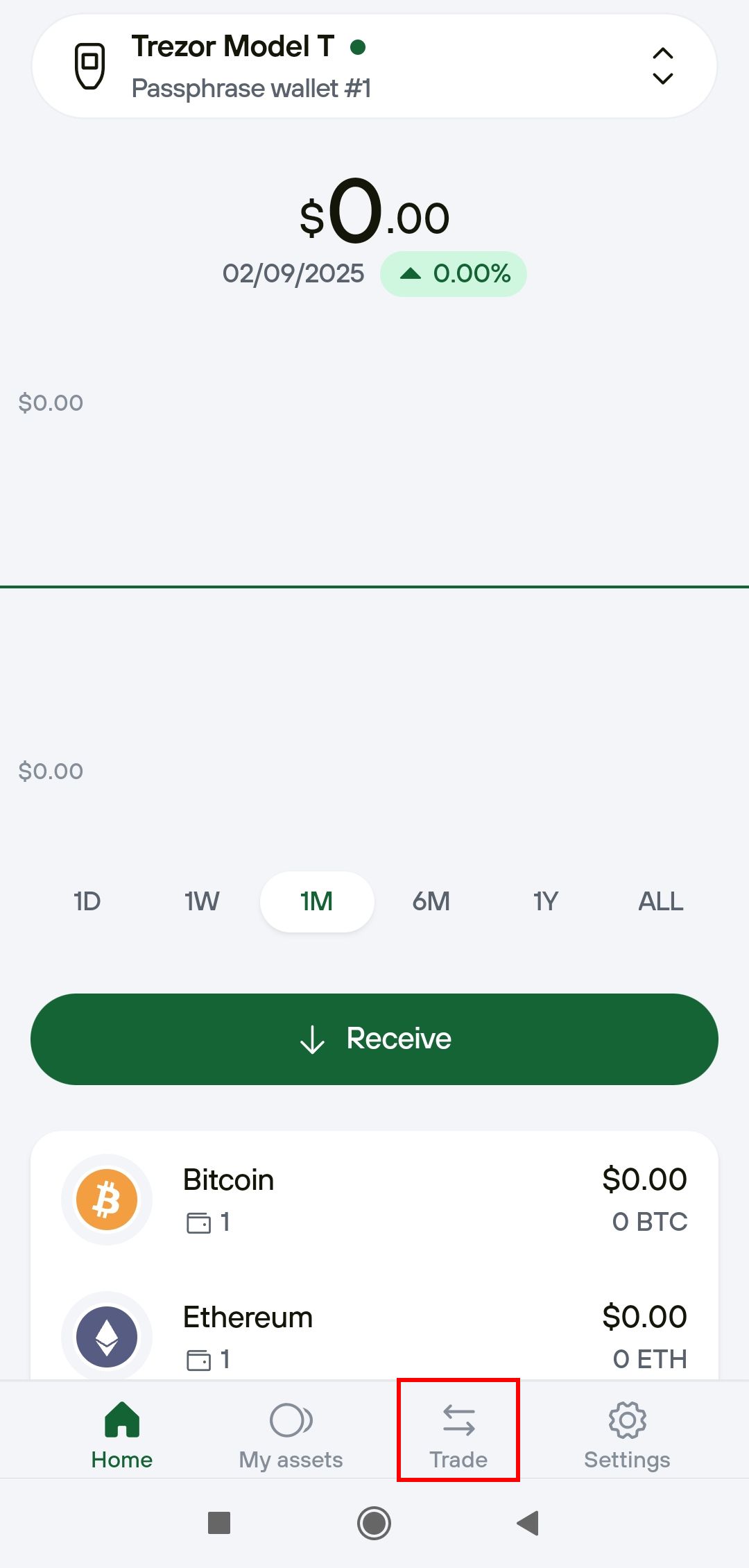
Start Trezor Suite and connect & unlock your Trezor. Choose the account you wish to trade with, then click the Buy & sell button in the top menu bar:

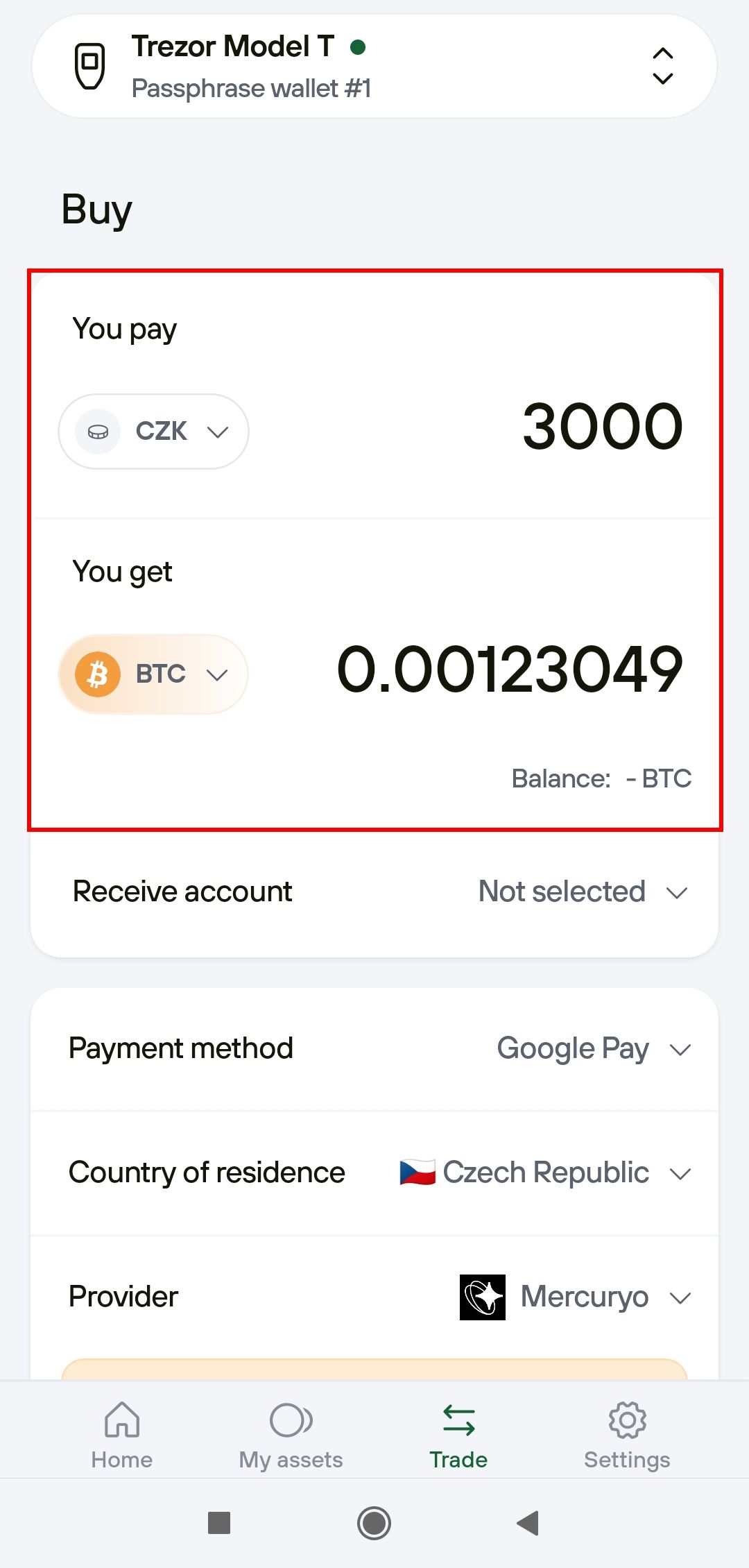
You will then be presented with the Trade menu, with the Buy tab selected by default.
First, specify the currency you're using and how much you want to spend:

Alternatively, you can specify the amount of crypto you wish to buy, by clicking the e.g. Enter amount in BTC button on the right side of the You pay interface, and then see how much you'll need to spend.
Next, select the payment method you wish to use (e.g., Credit Card, Apple Pay, Google Pay, etc.). Make sure you have the correct country selected in order to find relevant offers.
Trezor Suite will automatically load the best offer for you. The offer includes all exchange fees. If it is acceptable, click the Buy button.
Of course, you can also decide to choose a different offer, for example, if you prefer to use a certain exchange by clicking Compare all offers (exchange fees are included in each offer):

Once you've chosen the option that suits you best, proceed by clicking on Select (you will also have to agree to the terms of use):

You'll then be redirected to the exchange’s website to complete your payment and provide any necessary documentation they may need.
Note that exchanges may ask for proof of identity as part of KYC requirements. Once complete, the incoming transaction should appear in your account within half an hour.
How are the exchange partners selected?
As a rule, we integrate only non-custodial exchanges. That means whatever you buy does not stay on the exchange, but is immediately transferred to a wallet of your choosing, direct into your custody.
All chosen service providers have:
- A good reputation in the bitcoin / crypto community
- Positive customer experiences
- Full legal compliance
- Unique or broad coverage of supported fiat currencies and methods of payments
All partnerships are regularly reviewed, resulting in a continuously curated list of the most trustworthy crypto exchange providers, and guaranteeing problem-free transactions.
What are the KYC requirements of third-party exchanges?
In order to buy or sell cryptocurrencies in Trezor Suite, third-party service providers may, and usually will, ask for personal identification and sensitive information to comply with AML/KYC regulations. Trezor do not store any of your personal data.
What is KYC?
KYC stands for know your customer. As a part of anti-money laundering (AML) guidelines, it is a legal requirement for financial institutions, banks, as well as services such as stock trading platforms, gambling sites, or crypto exchanges. It is intended to verify that the provider can trust you, but also that you can trust their legal compliance. In practice, it typically means you will be asked to provide your phone number, a copy of your ID, and sometimes a selfie before making your first transaction on a given exchange. After you’ve done that, you’re usually good to use the exchange without providing any more ID in the future.
Our approach to KYC providers
Most providers require some sort of KYC. If you want to buy crypto through these providers, you will have to go through the process and will be guided step-by-step. However, certain providers offer time- or region-specific non-KYC trading options up to a certain transaction limit.
Exchange providers, on the other hand, are mostly fully non-KYC, allowing you to trade between cryptocurrencies freely.
Complete your transaction with the provider
You'll be directed to a secure gateway maintained by the transaction partner you have chosen. Follow their directions to complete your transaction. KYC requirements vary depending on the provider and the amount you wish to purchase.
Await delivery of your cryptocurrency
Once you have made your payment, you will be returned to Trezor Suite. Your cryptocurrency will be sent directly to the address you confirmed on your device as soon as your payment is received. Providers strive to ensure your crypto is delivered promptly, though it can sometimes take up to several hours. Check your wallet periodically to ensure that you receive the correct amount of crypto in the correct wallet account.